
Jan 7, 2026: Planning and backlog refinements
Common planning tasks get faster with tools that help you break down work, organize around themes, and understand bug priority at a glance.
Split stories faster
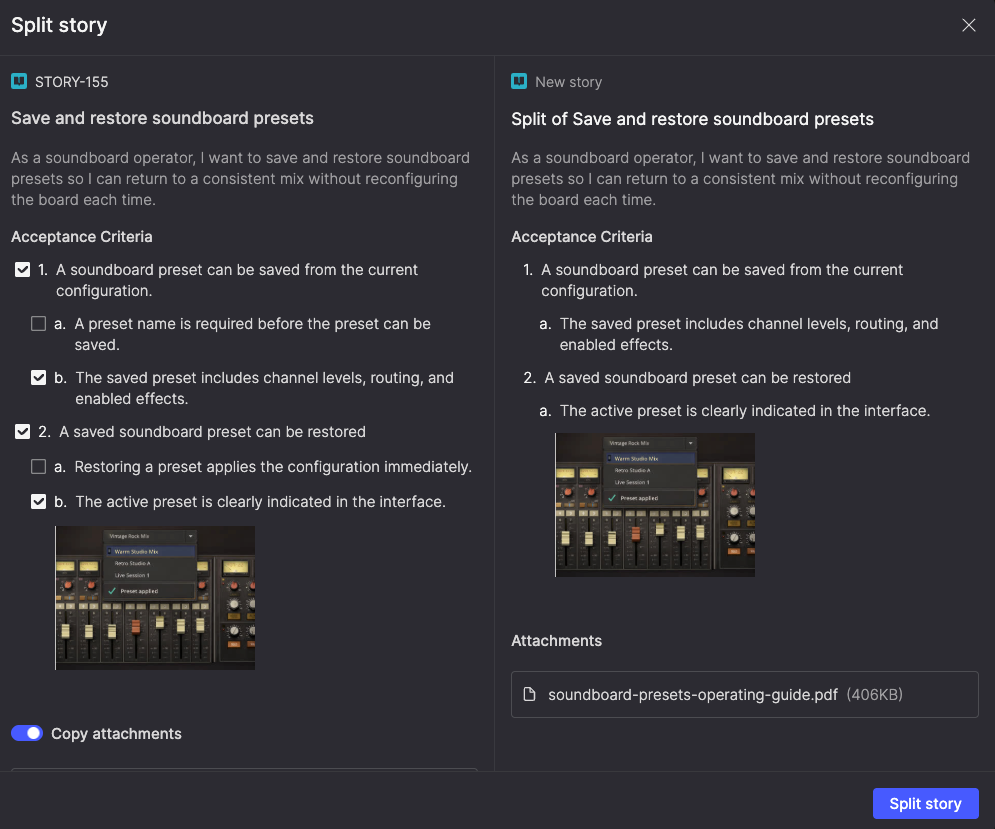
Break large stories into smaller ones without losing context. The new Split story feature lets you move selected acceptance criteria into a new story, with key details—like team, product theme, and timebox—carried over automatically.
When you split a story, Atono links the original and new story for traceability, and records the split in the Activities list. New stories appear at the top of your backlog (or in the same sprint for Scrum teams), keeping backlog refinement fast, work connected, and stories small and focused.
Bulk organize by product theme
Select multiple stories and assign them to a product theme in one action. This lets you group related work around strategic initiatives without editing items one at a time.

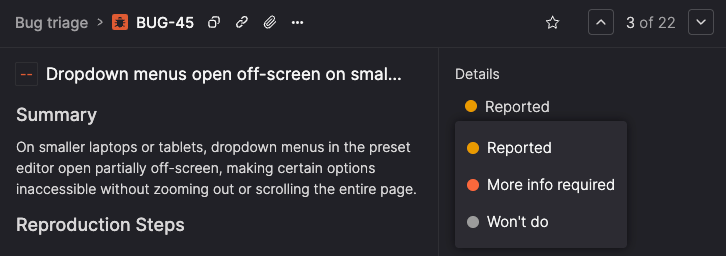
See bug status during triage
Bugs that aren’t yet assigned to a team backlog now show their triage state (Reported, More info required, Won't do) throughout Atono, giving teams clear context when reviewing new reports and deciding what to assign.