

Scrum enhancements
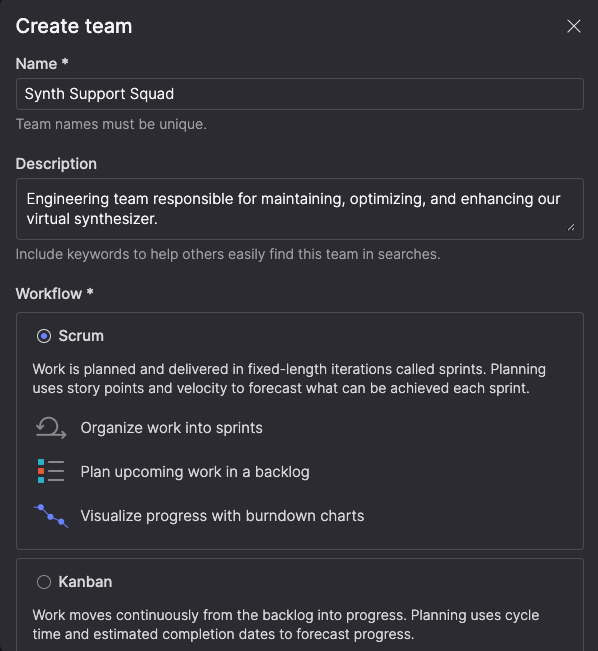
Sprint planning and tracking are more powerful this release, with dedicated calendars, burndown charts, and sprint-optimized views. When creating a team, you now choose between Scrum and Kanban workflows—so your tooling matches how your team works.
Plan and manage sprints from your backlog
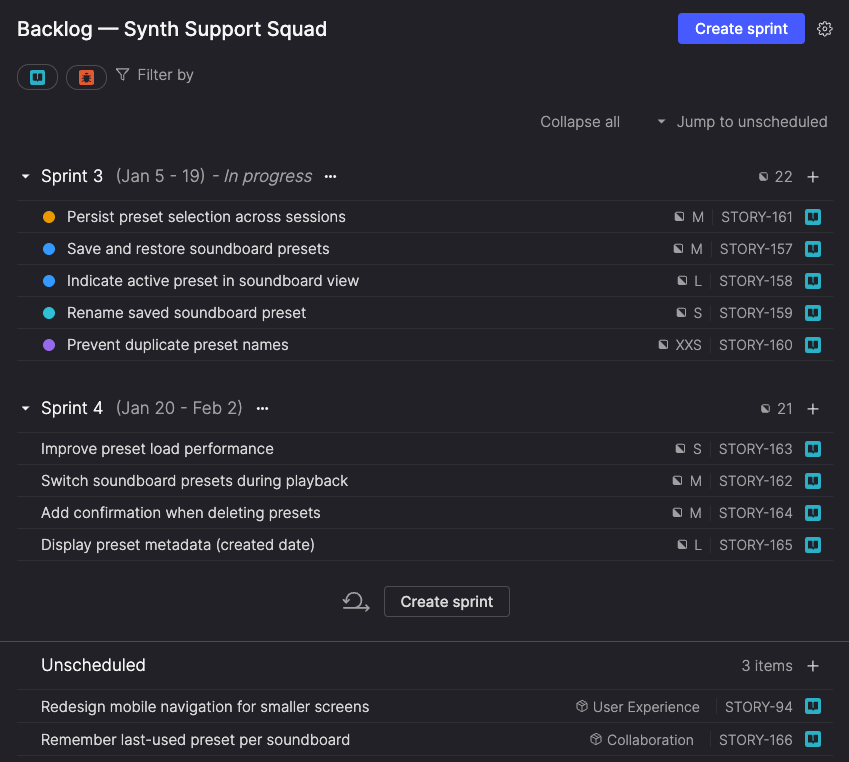
For Scrum teams, the Backlog view now organizes work by sprint, letting you plan sprints, manage scope, and view capacity at a glance. Current and upcoming sprints appear in order, with names, dates, item count, and total story points visible—so commitments are clear without switching views. Items not assigned to a sprint appear in an Unscheduled section below planned work.
Drag items into sprints, move work between sprints as priorities change, and create new sprints as needed. Atono prevents overlapping sprints and warns when scope or duration changes mid-sprint, helping protect burndown accuracy.
Focus on current work
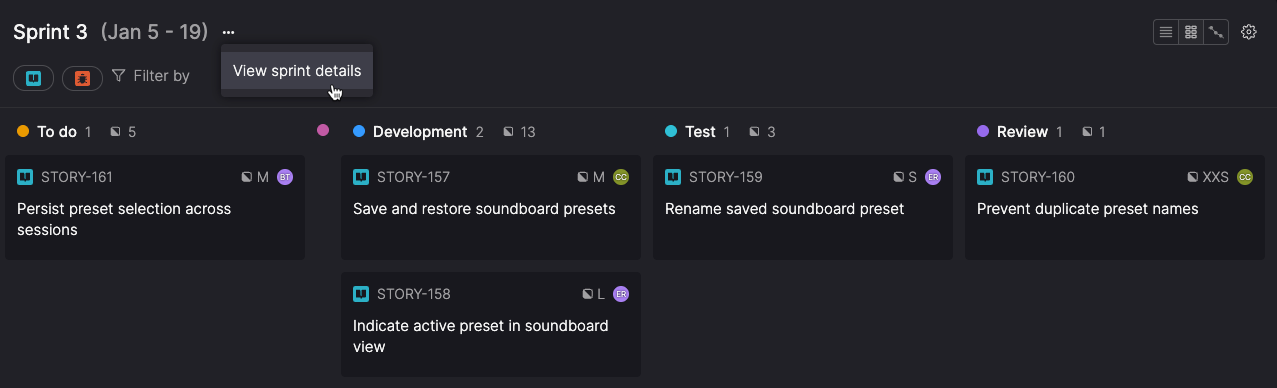
The In progress view shows only your current sprint, creating a focused workspace for daily execution. Track what’s committed, monitor progress, and adjust work as needed to achieve your sprint goal. From the same view, you can edit sprint details and check the burndown chart—keeping everything you need for the current sprint in one place.
See progress with burndown charts
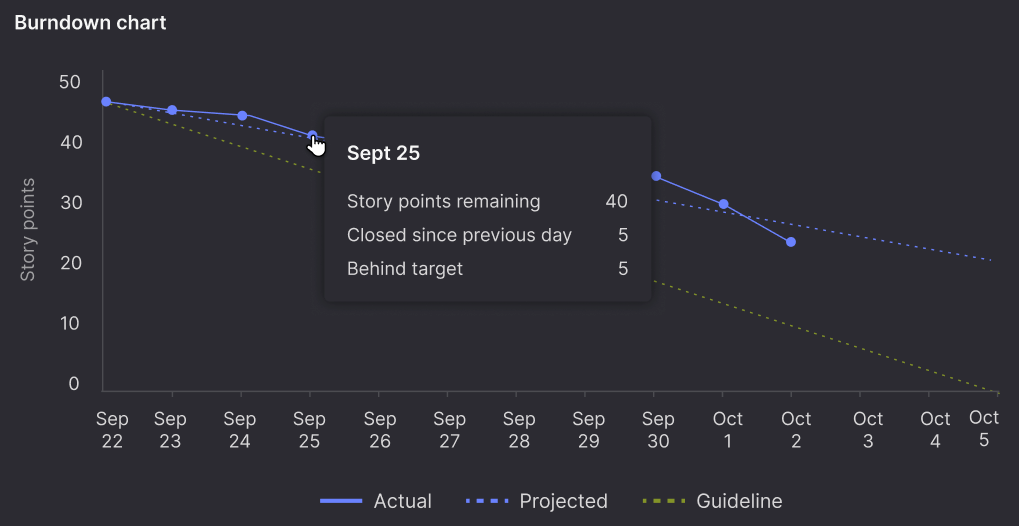
Burndown charts show whether your sprint is on track. They plot daily progress against a guideline and project your finish date based on actual velocity—helping teams spot early signs of underestimation, discovery, capacity changes, or shifting priorities while there’s still time to respond.
Hover over any day to see points completed, remaining work, and how far ahead of or behind schedule you are. Historical burndown charts support retrospectives and velocity planning for future sprints.
Sprint calendar for timeline planning
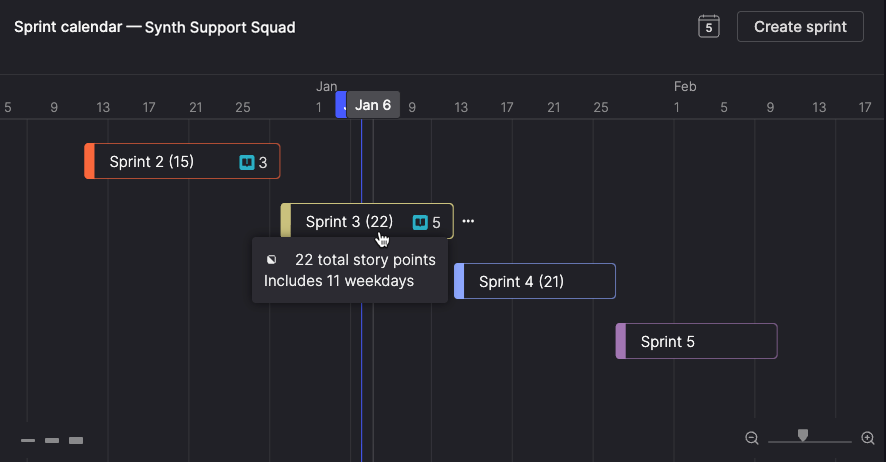
Scrum teams also get a dedicated Sprint calendar to visualize all sprints on a timeline, plan releases, spot capacity constraints, and communicate projected delivery dates to stakeholders.
The calendar prevents overlapping sprints as you adjust dates, shows weekday counts while dragging sprint edges, and lets you rename sprints inline.
Switch workflows as your needs change
You can switch teams between Scrum and Kanban workflows after creation, so your tooling adapts as your process changes. You’re not locked into a choice—when your teams’ needs change, Atono adapts with you.