

Release overview: June 29, 2026

Every person on your team and every AI agent working alongside them does better work when they're starting from the same understanding of your product. This release makes that understanding easier to build, share, and keep current.
Agents can now work across more of your backlog structure, product knowledge is easier to build and maintain, new team members get oriented faster, release milestones stay consistent wherever they're tracked, and sprint planning stretches further into the future.
We're also previewing the Story assistant, arriving later this summer. It draws on your product knowledge and backlog context to help turn ideas into well-formed stories without losing the reasoning behind them.
In this release
- Give AI agents the full picture with new MCP tools for epics, subtasks, and your product Glossary, so agents can read, write, and organize work at every level of your planning hierarchy.
- Make product knowledge accessible in any workspace, no matter how your documentation is structured or hosted, by uploading a TSV file.
- Get new team members contributing faster with guided onboarding and role-specific product tours.
- Keep release planning aligned across timelines with workspace-level releases that stay in sync everywhere they're used.
- Plan sprints further ahead with a new way to create a full series of sprints at once, and a clearer view of which dates are already scheduled.
- Coming soon: AI-assisted story authoring with the Story assistant, which draws on your glossary, epic context, and related work to help write better requirements.
Those are just the highlights. Read on for the full details, or jump ahead to the sections you're most interested in using the links below.
On this page
- Expand what agents can do in your backlog
- Get new members contributing faster
- Keep release planning aligned
- Plan sprints further ahead
- Usability improvements
- Coming soon: AI-assisted story authoring
Expand what agents can do in your backlog
AI is most effective when it can work with the same context your team uses to plan, discuss, and deliver work. This release expands the Atono MCP toolset with support for epics and subtasks, and makes your product Glossary available through MCP, so anyone working with AI, whether that's a developer in their IDE or a PM in Claude, has the language and structure that define your product. Every action taken through MCP is attributed to the person responsible, so ownership remains clear as AI does more.
Epic management
An agent working on a story without epic context is working blind to the goal. It can't tell whether this story is the first step in a larger feature or the last, what other stories are in scope, or what outcome the whole body of work is moving toward.
New MCP tools allow agents to retrieve, create, update, and manage epics directly from their development environment, accessing descriptions, user story statements, and the stories that make up each epic without switching tools. PMs can work the other way around: talk through an idea with Claude, then use the same tools to create the epic, write the user story statements, and break it into stories.
As the work evolves, anyone using these tools can keep that information current, so the context behind a body of work stays accurate throughout delivery, not just at the moment it was written.
Learn more about Epic MCP tools →
Subtask management
Implementation work rarely happens in a single step. Teams break work into smaller tasks to track progress, coordinate effort, and make implementation visible.
New MCP tools allow developers and their agents to retrieve, create, update, and delete subtasks directly in Atono. Each subtask can include a title, description, assignee, and status, making implementation details visible to the entire team rather than isolated inside an AI conversation.
The get story and get bug tools now also return a summary of associated subtasks: total count, how many are Done, and how many are Won't do. That gives agents a complete picture of implementation state before they start, without needing additional calls or having to guess at what's already been done.
Learn more about Subtask MCP tools →
Product Glossary MCP tool
Without access to your product knowledge, an AI agent falls back on general knowledge and whatever context happens to be available in the conversation. It can generate content that sounds plausible, but it doesn't understand your product's concepts, workflows, roles, permissions, or relationships.
The new Glossary MCP tool gives agents access to the same product knowledge your team maintains in Atono, including definitions, synonyms, roles, workflows, features, and other product-specific concepts. Whether you're working in Claude, Cursor, Copilot, or any other MCP-enabled tool, agents can ground their work in a shared understanding of your product. As your Glossary evolves, every connected agent automatically stays aligned with the latest version.
Learn more about the Glossary MCP tool →
Build your Glossary from any source
Until now, building a product Glossary in Atono required pointing it at crawlable documentation URLs. That works well for teams with public-facing docs, but not for every product.
You can now build your Glossary by uploading a TSV file instead. Prepare your concepts, definitions, synonyms, and any related concepts using the provided template, upload it, and Atono creates your Glossary directly from it.
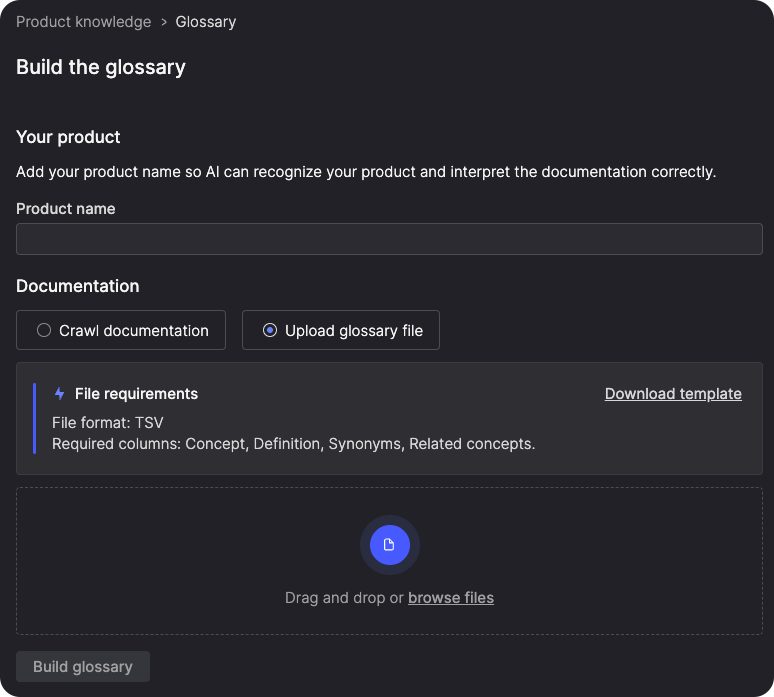
The result appears in your Sources tab with a full import summary showing how many concepts were loaded, any rows that were skipped, and why.
This means any workspace can give AI tools the product context they need, regardless of how their documentation is structured or hosted.
Learn more about building your Glossary by uploading a TSV file →
Get new members contributing faster
The faster someone understands how your workspace is organized and where they fit into it, the faster they can start contributing. This release introduces a more guided onboarding experience that helps new members get oriented based on the role they actually play.
Guided onboarding for new members
When someone joins a workspace through an invitation, they're greeted by a guided setup conversation before they reach the product. The conversation captures their name and role, then takes them down the right path from there. Team leads can name their first team and choose a methodology. Everyone else can join an existing team directly from the conversation.
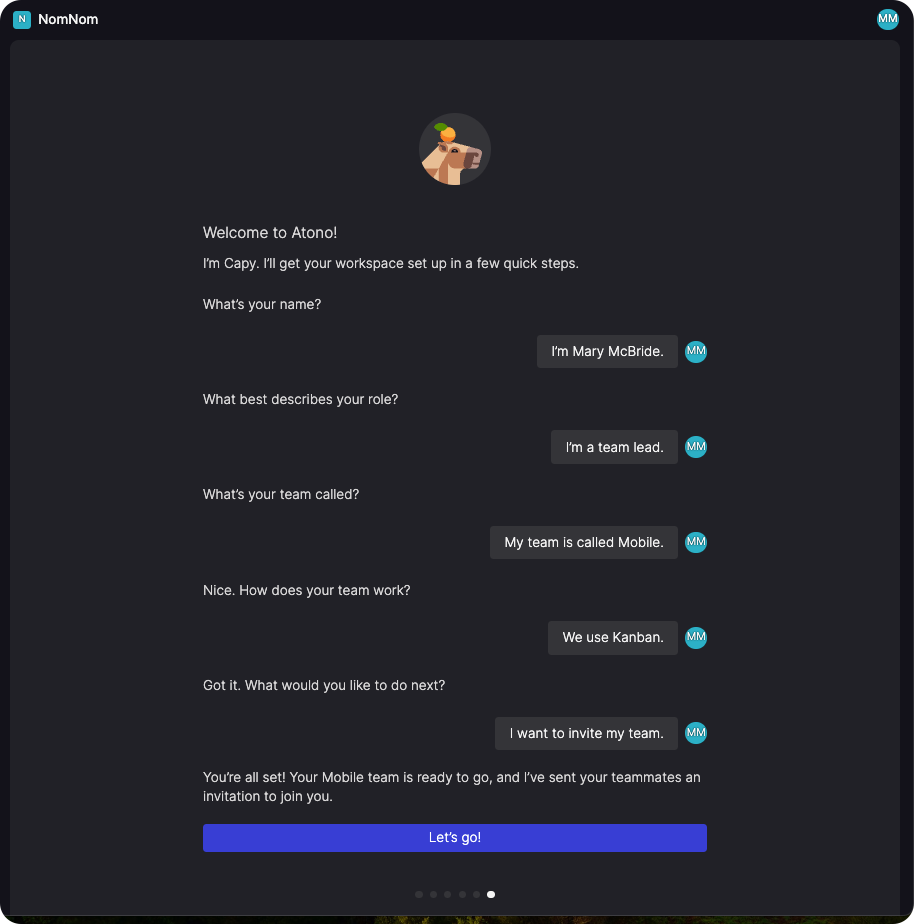
At the end of setup, team leads also have the option to invite their teammates before jumping in. The result is that new members arrive already connected to their team and oriented to how they work, rather than landing in an unfamiliar workspace and figuring it out on their own.
Role-specific product tours
Once inside the product, new users see a role-specific tour on their Home page that introduces the features most relevant to how they work, whether they're a Product manager, Team lead, Developer, QA engineer, or in another role. Each tour includes short videos and links to go deeper or try something directly.
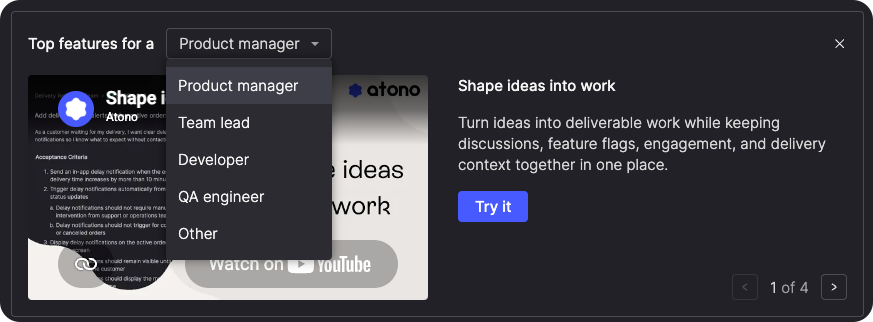
The tour defaults to the role they identified during onboarding, but users can use the selector to explore videos for any role. Once dismissed, product tours are always available in the Atono documentation.
Get oriented in Story refinement
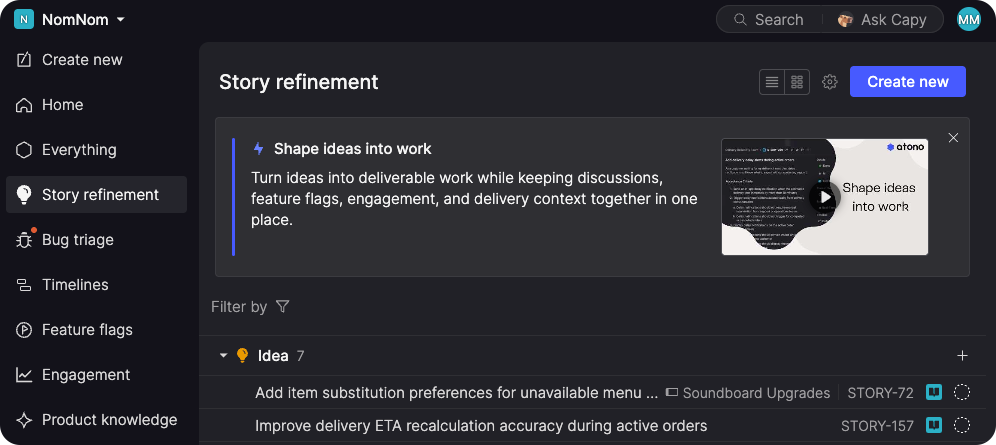
When a new user reaches Story refinement for the first time, an introductory banner with a short video explains what the screen is for, so they can get oriented without needing someone to walk them through it.
There's also a Create new button in the header now, so once a new member understands what the screen is for, they can create their first story right there without navigating elsewhere first.
Keep release planning aligned
Releases are now workspace-level. Create one on any timeline and it's available to add to any other. When a release date changes, it automatically updates everywhere that release is used. Remove it from one timeline without affecting the others.
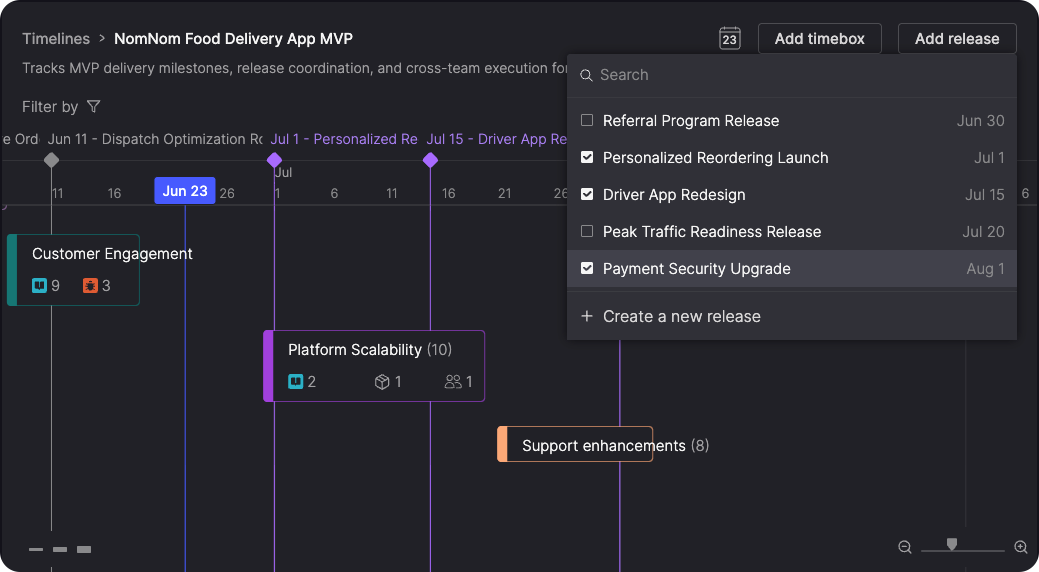
Whether you maintain separate timelines for different stakeholders, product areas, or planning horizons, your release dates stay consistent without any extra upkeep.
Plan sprints further ahead
Two improvements make it easier to set up and manage sprints over a longer planning horizon.
Create a sprint series
The Create sprint dialog now has a Multiple sprints option alongside the single sprint flow. Set a starting sprint name, duration, start date, and how many sprints you want, and preview the full series, with each sprint's name and date range, before creating it. Plan a full quarter of sprints in one step instead of setting up each one by hand, and catch any scheduling issues before they're locked in.
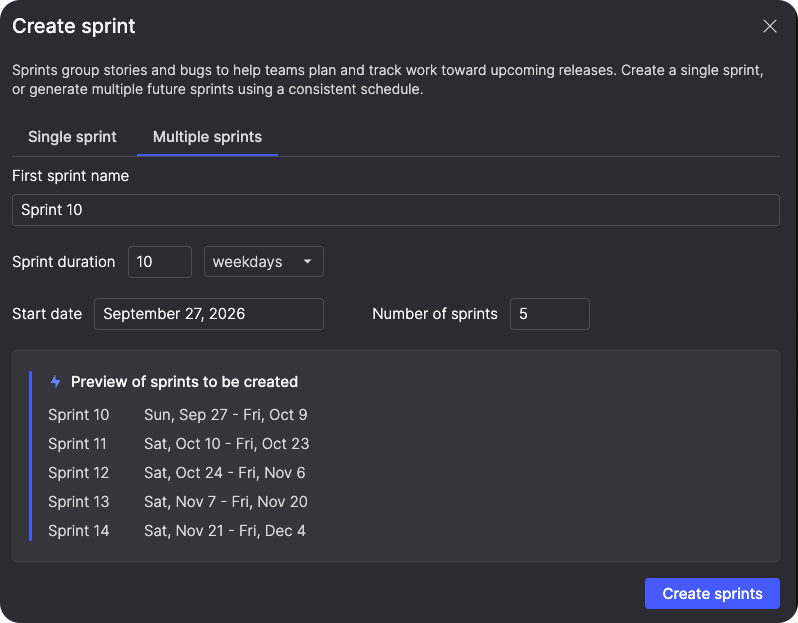
Block overlapping sprint days
The sprint date picker now greys out dates that are already taken by another sprint. Pick your dates with confidence, knowing overlaps aren't possible.
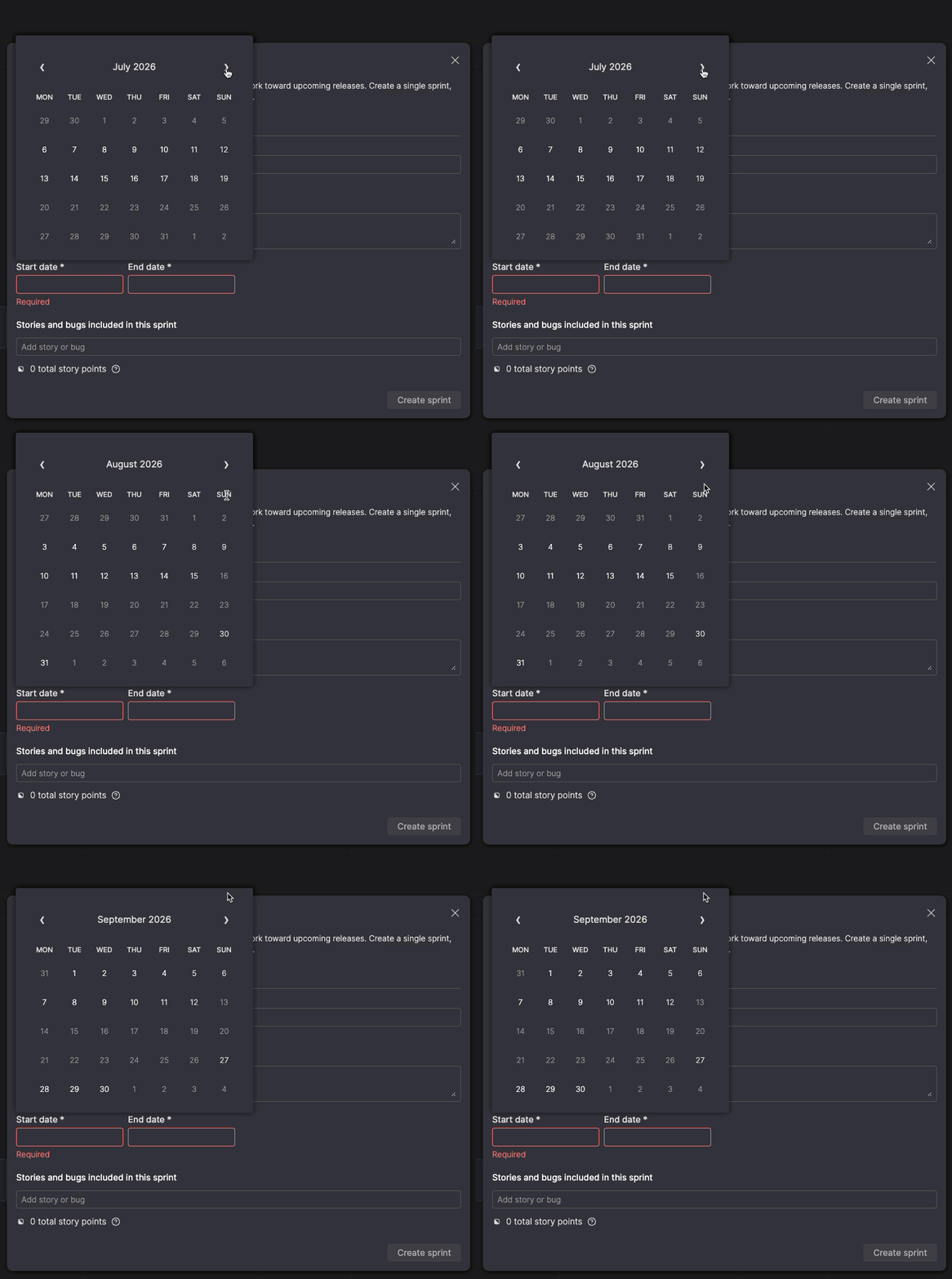
Usability improvements
A handful of smaller improvements smooth out everyday workflows.
Invite members directly to a team
The Add team members dialog now lets you invite someone to the workspace directly, without them needing to be a member first. When they accept and complete setup, they're automatically added to the team and given the option to join others. Team leads have the same capability during onboarding setup.
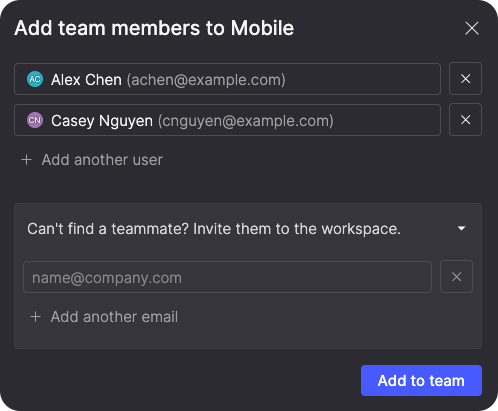
Cleaner AI story sizing
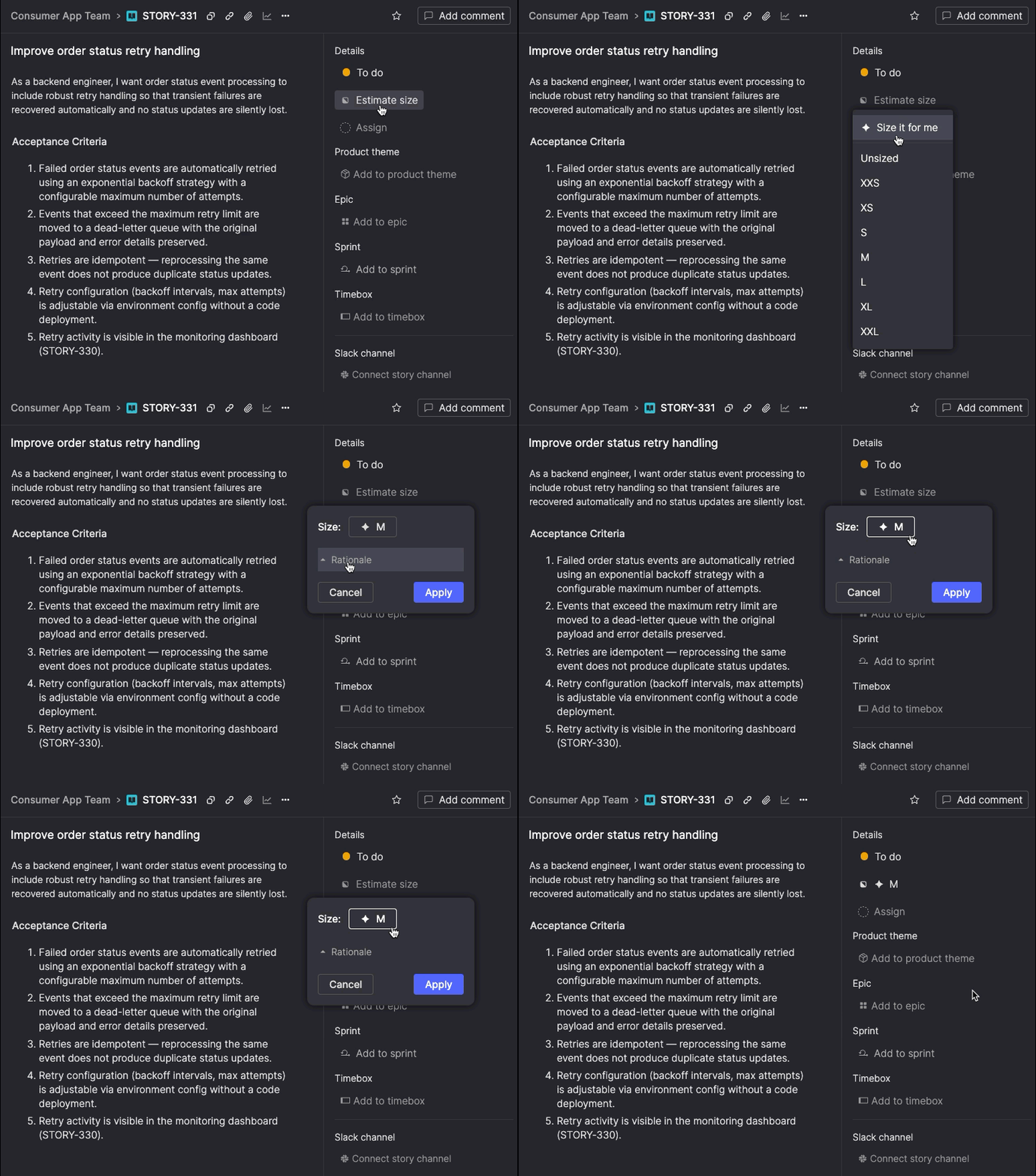
Sizing a story with AI now happens inline, without interrupting your flow. When you use Size it for me, the suggested size appears in a card with a collapsible reasoning section showing comparable stories from your backlog. Apply the suggestion directly from the card, or choose a different size before applying. A sparkle icon marks the size if you go with the AI's recommendation.
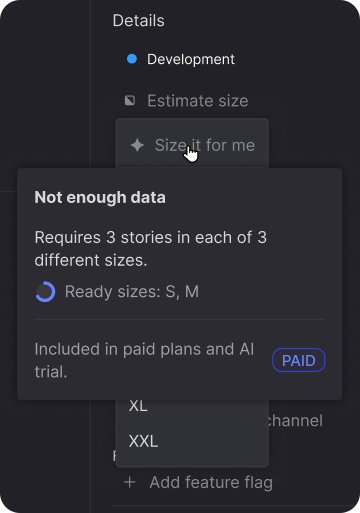
If your workspace doesn't have enough sized stories yet, the option is still visible. A "Not enough data" card shows which sizes are ready and how many you still need to get started.
Choose your interface theme
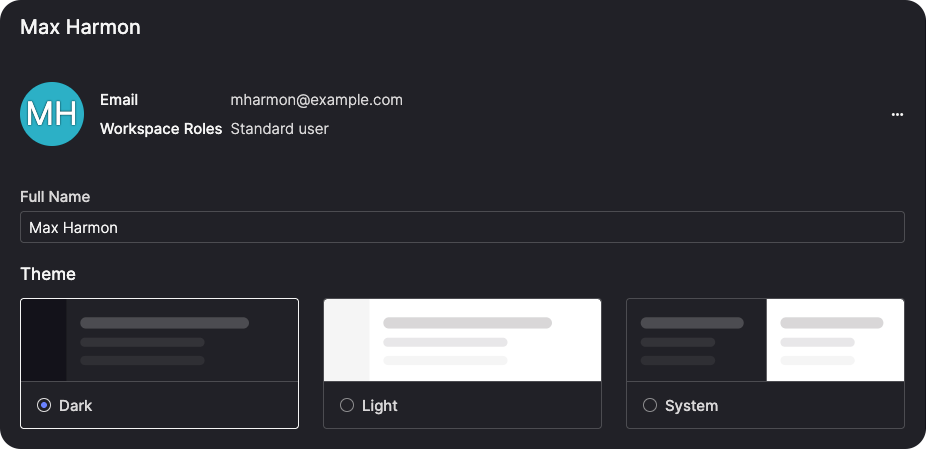
You can now set your preferred interface theme directly in Atono. Choose Dark, Light, or System default from your user profile. The setting applies immediately and persists across sessions and devices. If you choose System default, Atono updates in real time whenever your OS theme changes.
See where new items land
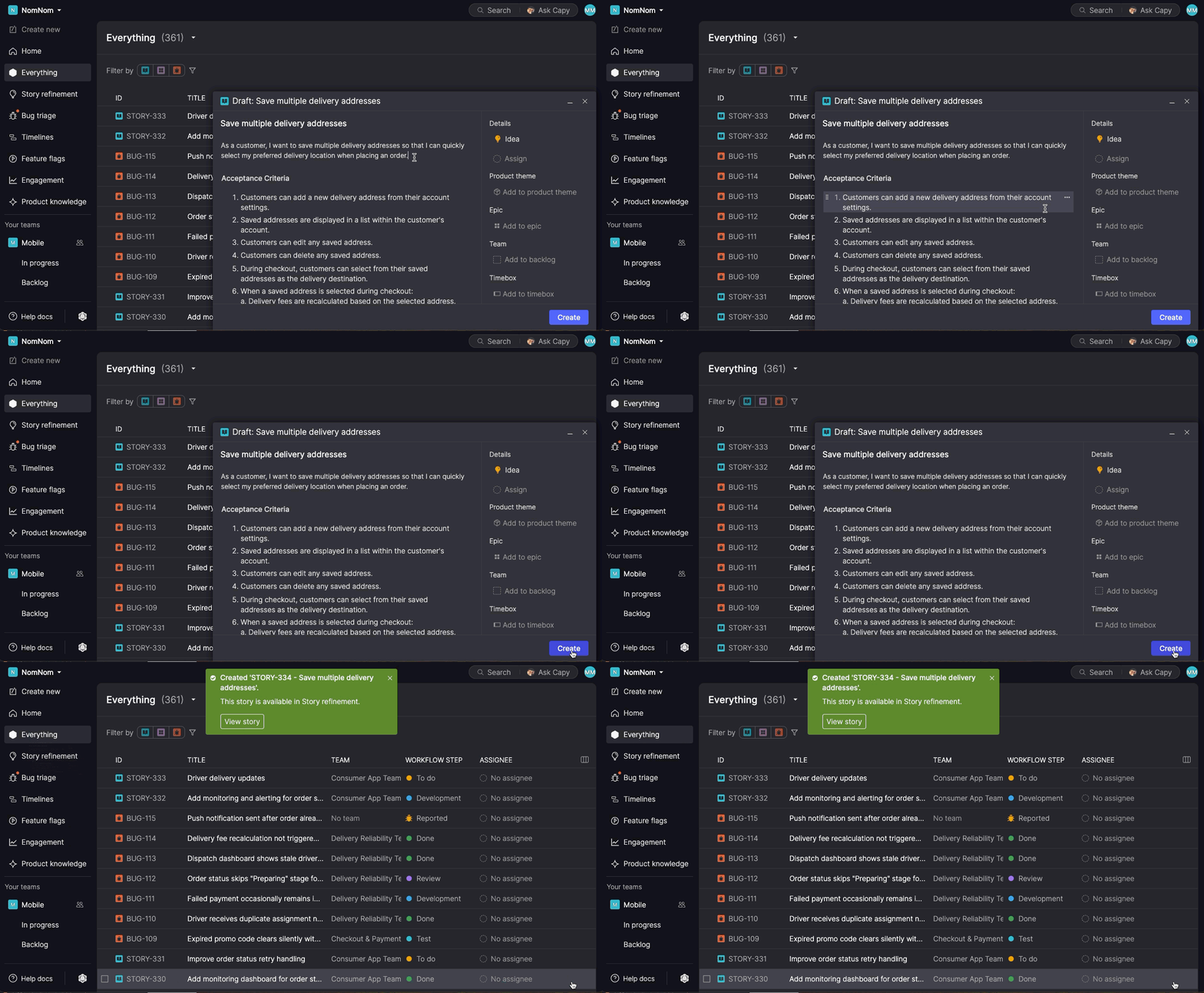
New stories, bugs, and epics animate into place in the left navigation when created, showing exactly where they landed: Story refinement for unassigned stories, Bug triage for unassigned bugs, your team's backlog for team-assigned items, and Everything for epics.
Left navigation expands to show where you are
The left navigation now keeps exactly one team expanded at a time, automatically switching to whichever team you're working in. Open a story, a backlog, or a deep link, and the relevant team expands while the others collapse, so you're never looking at the wrong team's section by accident.
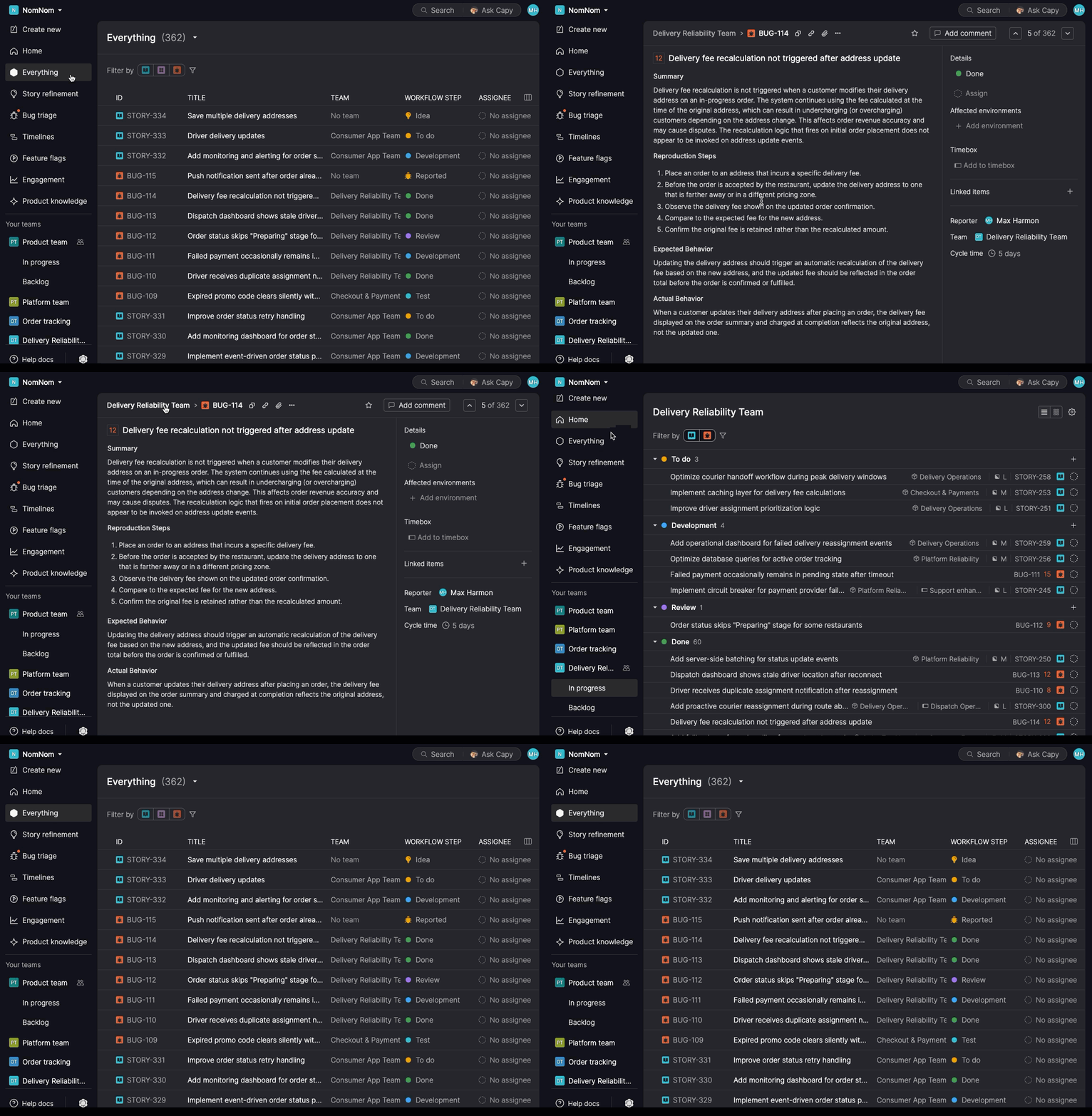
Paste formatted content
Acceptance criteria drafted outside Atono, in a doc, a chat, or another tool, can now be pasted in directly. Ordered and unordered lists are converted into the acceptance criteria structure, with inline formatting like bold, italic, code, and links preserved.
The same applies anywhere else you paste formatted text in Atono, so structure and formatting carry over no matter where your content started.
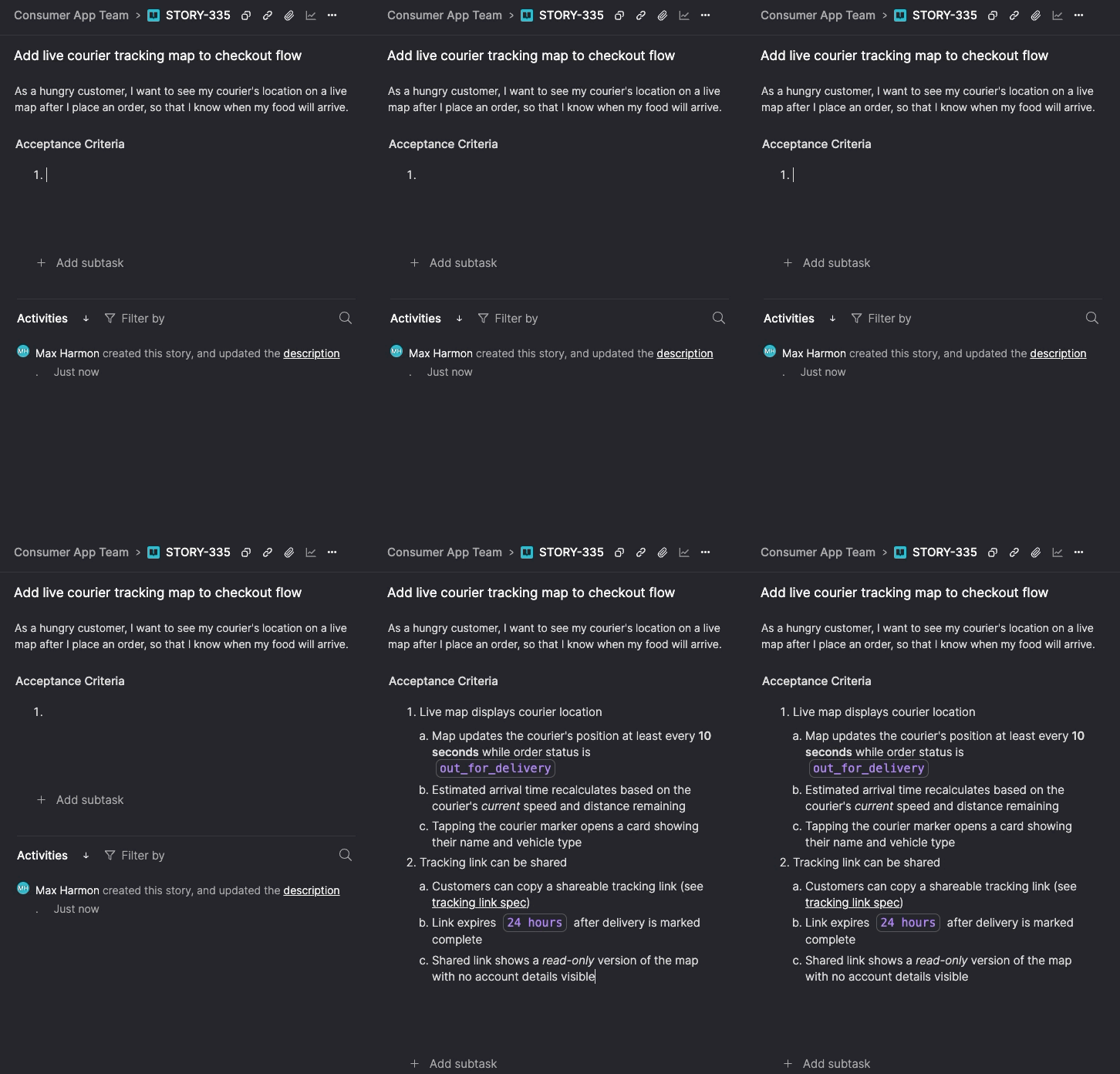
View preferences saved across sessions
Your visibility settings in Story refinement or on a team's In progress or Backlog pages now persist across sessions and devices. Any change you make using the gear icon is saved immediately, so the view looks the way you left it the next time you open it. List view and board view settings are saved independently, so switching between them restores the right preferences for each.
Improved accessibility for status colors
Error, warning, and positive colors across the product now meet WCAG 2.1 AA contrast requirements in both light and dark themes, making Atono more accessible for users with visual impairments and easier to read for everyone.
Team time zone via API
The Teams API endpoint now supports reading and setting a team time zone via GET, POST, and PATCH, useful for teams provisioning workspaces programmatically who need reporting to display consistently for members in different locations.
Coming soon: AI-assisted story authoring
Writing a good story requires more than knowing what you're building. It requires understanding what's already been decided, what's out of scope, how the work fits into a larger initiative, and what language your product uses to describe the concepts involved.
The Story assistant is designed to bring that context into the authoring process. It lives directly on the story detail screen and opens as a conversation. Before you say anything, it has already read the current story, your product Glossary, the parent epic, and related stories in that epic.
You describe what you want to build. The assistant asks clarifying questions and works with you to shape the story, then writes the user story and acceptance criteria directly to the story when you're ready.
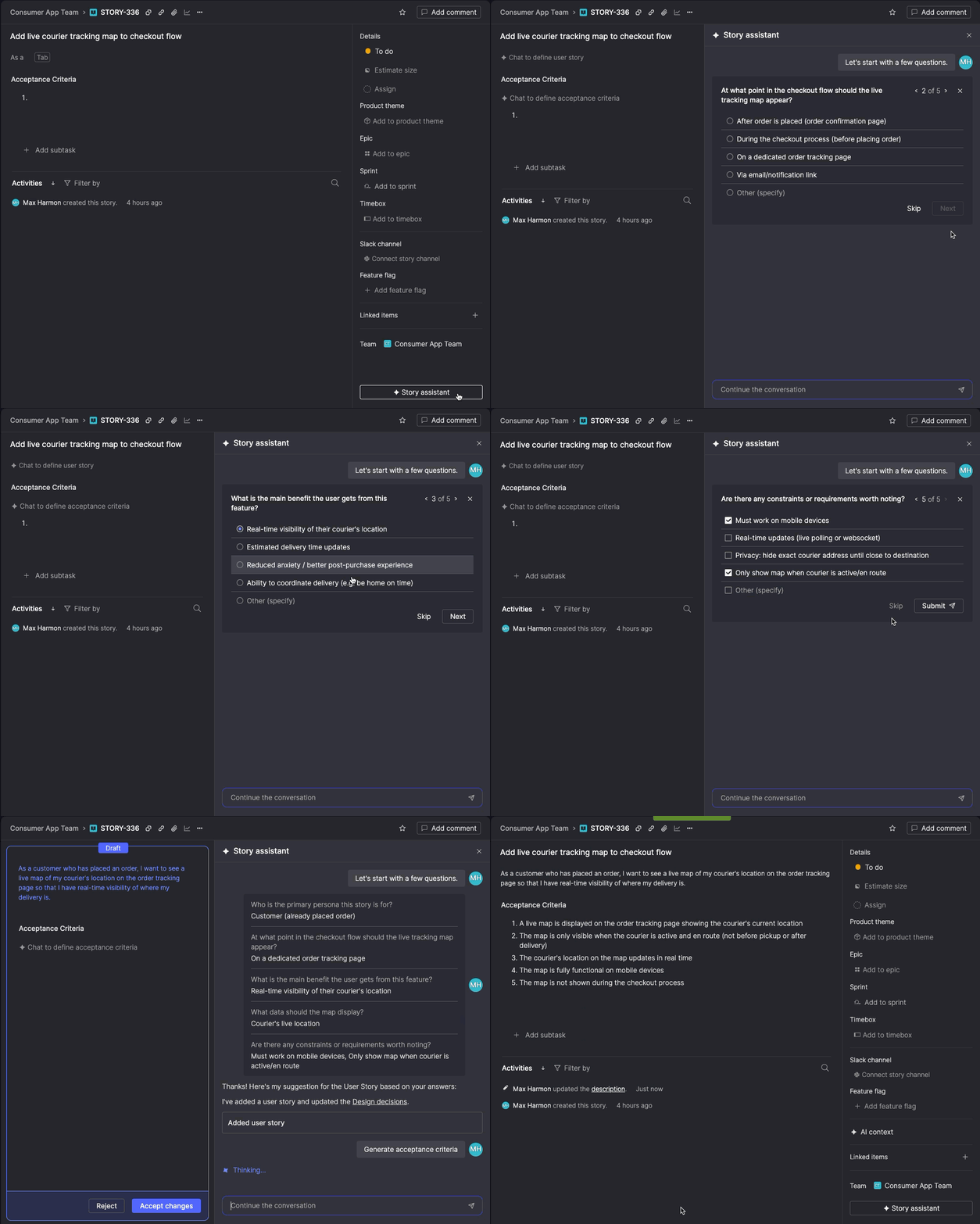
Design decisions captured along the way are saved to the story's AI context, so the reasoning behind the work is available to future contributors, agents, and the Story assistant itself the next time you open it.
The Story assistant is coming this summer. We'll continue investing in it throughout the year, expanding what it can help with: reviewing existing stories, catching gaps in acceptance criteria, and eventually helping you capture and develop ideas before they're ready to become stories.