
January 6 Release
Atono’s January release is all about making planning easier, progress clearer, and day-to-day work faster. Whether you’re running Scrum ceremonies, refining a backlog, or just trying to find the thing you were looking at five minutes ago, this release helps you move with less friction and more confidence.
Availability: This release is available in production as of Tuesday, January 6, 2026.
Here's what's new:
- Scrum enhancements
- Single sign-on
- Follow stories and bugs
- See where changes came from
- Planning and backlog refinements
- Feature engagement improvements
- Usability improvements
Scrum enhancements
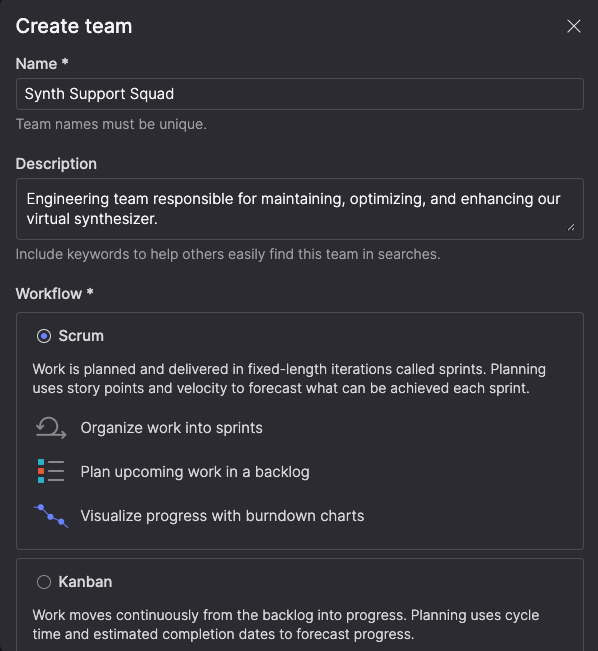
Sprint planning and tracking are more powerful this release, with dedicated calendars, burndown charts, and sprint-optimized views. When creating a team, you now choose between Scrum and Kanban workflows—so your tooling matches how your team works.
Plan and manage sprints from your backlog
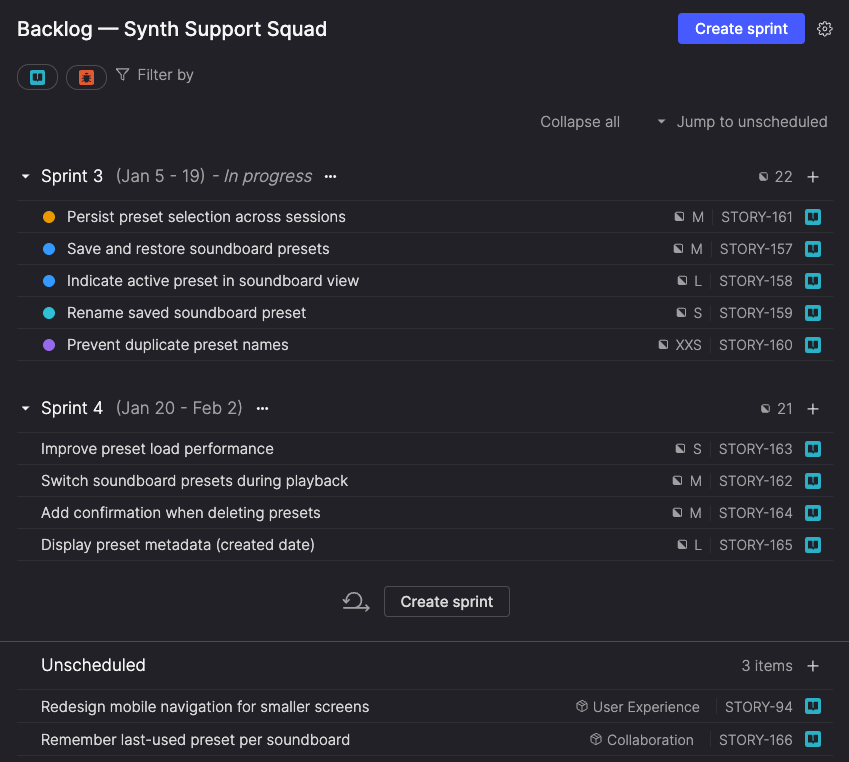
For Scrum teams, the Backlog view now organizes work by sprint, letting you plan sprints, manage scope, and view capacity at a glance. Current and upcoming sprints appear in order, with names, dates, item count, and total story points visible—so commitments are clear without switching views. Items not assigned to a sprint appear in an Unscheduled section below planned work.
Drag items into sprints, move work between sprints as priorities change, and create new sprints as needed. Atono prevents overlapping sprints and warns when scope or duration changes mid-sprint, helping protect burndown accuracy.
Focus on current work
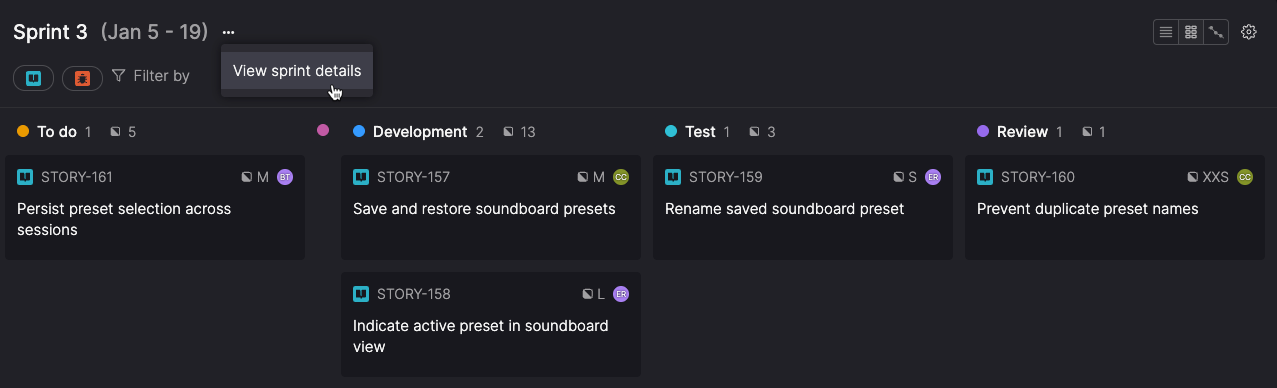
The In progress view shows only your current sprint, creating a focused workspace for daily execution. Track what’s committed, monitor progress, and adjust work as needed to achieve your sprint goal. From the same view, you can edit sprint details and check the burndown chart—keeping everything you need for the current sprint in one place.
See progress with burndown charts
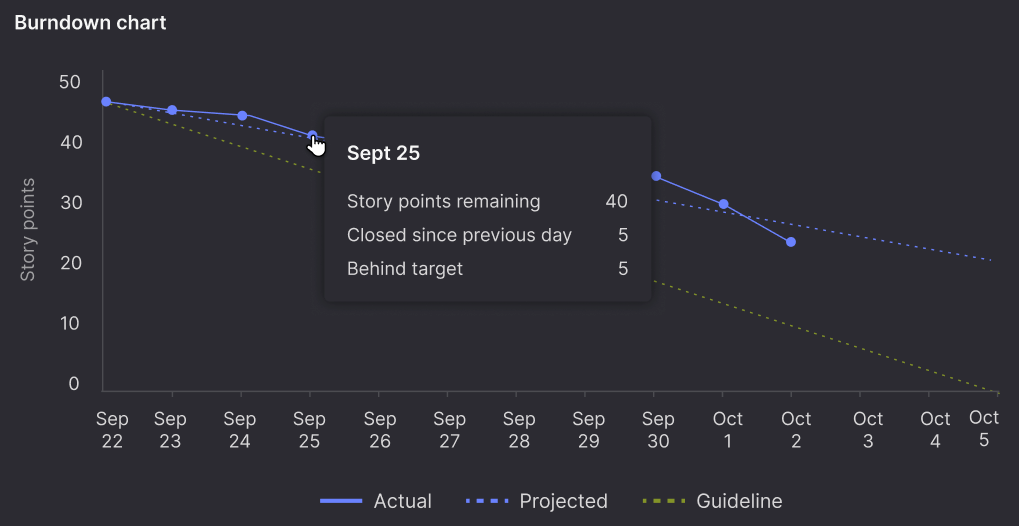
Burndown charts show whether your sprint is on track. They plot daily progress against a guideline and project your finish date based on actual velocity—helping teams spot early signs of underestimation, discovery, capacity changes, or shifting priorities while there’s still time to respond.
Hover over any day to see points completed, remaining work, and how far ahead of or behind schedule you are. Historical burndown charts support retrospectives and velocity planning for future sprint
Sprint calendar for timeline planning
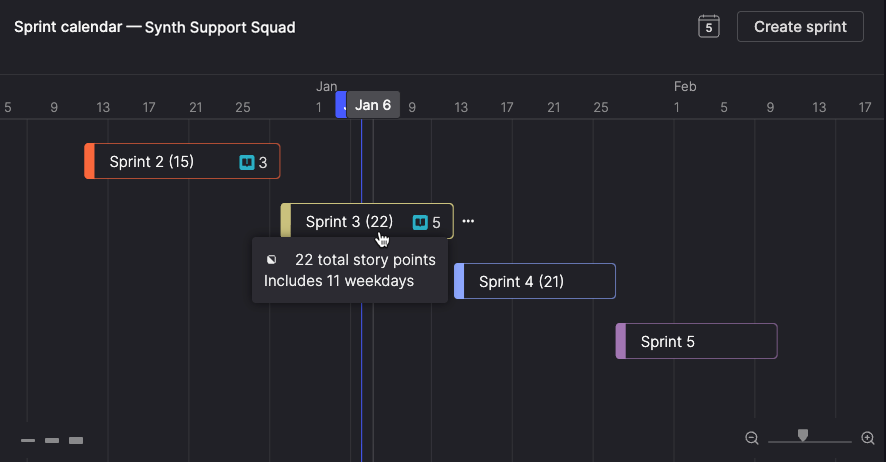
Scrum teams also get a dedicated Sprint calendar to visualize all sprints on a timeline, plan releases, spot capacity constraints, and communicate projected delivery dates to stakeholders.
The calendar prevents overlapping sprints as you adjust dates, shows weekday counts while dragging sprint edges, and lets you rename sprints inline.
Switch workflows as your needs change
You can switch teams between Scrum and Kanban workflows after creation, so your tooling adapts as your process changes. You’re not locked into a choice—when your teams’ needs change, Atono adapts with you.
Single sign-on
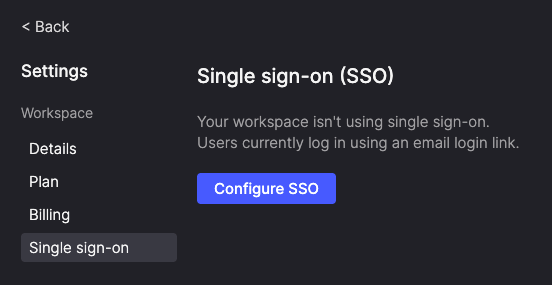
Teams can now sign in using their company’s identity provider instead of email login links. SAML-based SSO centralizes access management, strengthens security, and supports enterprise compliance.
Workspace administrators can validate the SSO setup in a testing mode before enabling it for the full team. Setup instructions are provided for Okta, with support for other SAML-compatible identity providers.
Single sign-on is available for paid workspaces. Contact your workspace administrator to enable it.
Follow stories and bugs
Stay updated on specific stories and bugs without constantly searching or trying to remember where you last saw them.
Stay on top of what matters
Click the Follow icon on any backlog item to start tracking it.
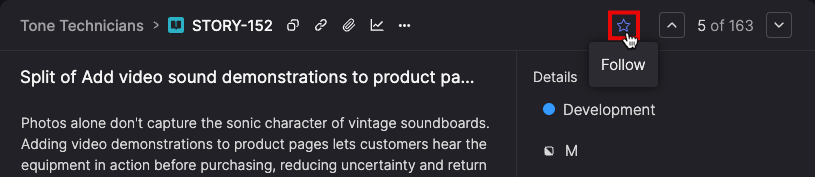
Followed items appear in a dedicated widget on your homepage, sorted by recent activity, so updated work rises to the top automatically.Use it to keep track of work owned by other teams, requested features, or bugs affecting your customers—all from your dashboard.

Find and manage followed items
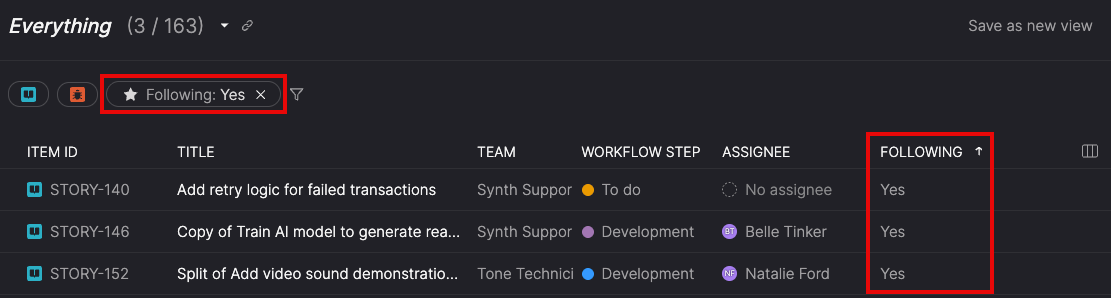
Filter the Everything page to see only items you're following, or add the Following column to spot tracked work across your entire backlog. Your view preferences stay with you across sessions, so your workflow stays consistent.
See where changes come from
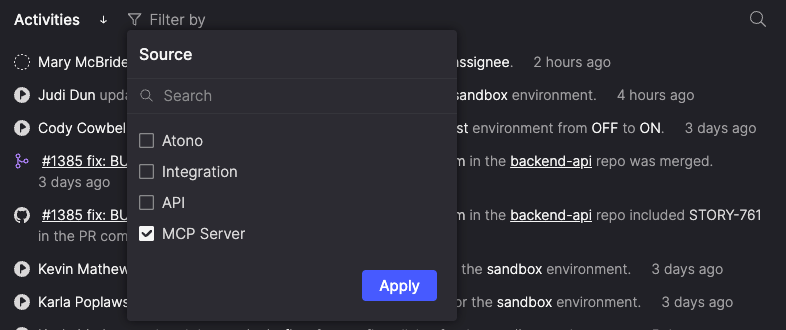
See exactly where each activity came from—whether it was performed in the Atono interface, triggered by an integration, sent through the API, or completed by the MCP server. You can filter the Activities list by source to focus on specific origins.
Source filtering helps when reviewing imports, debugging automation, or understanding how different tools and AI-driven actions are affecting your backlog.
Planning and backlog refinements
Common planning tasks get faster with tools that help you break down work, organize around themes, and understand bug priority at a glance.
Split stories faster
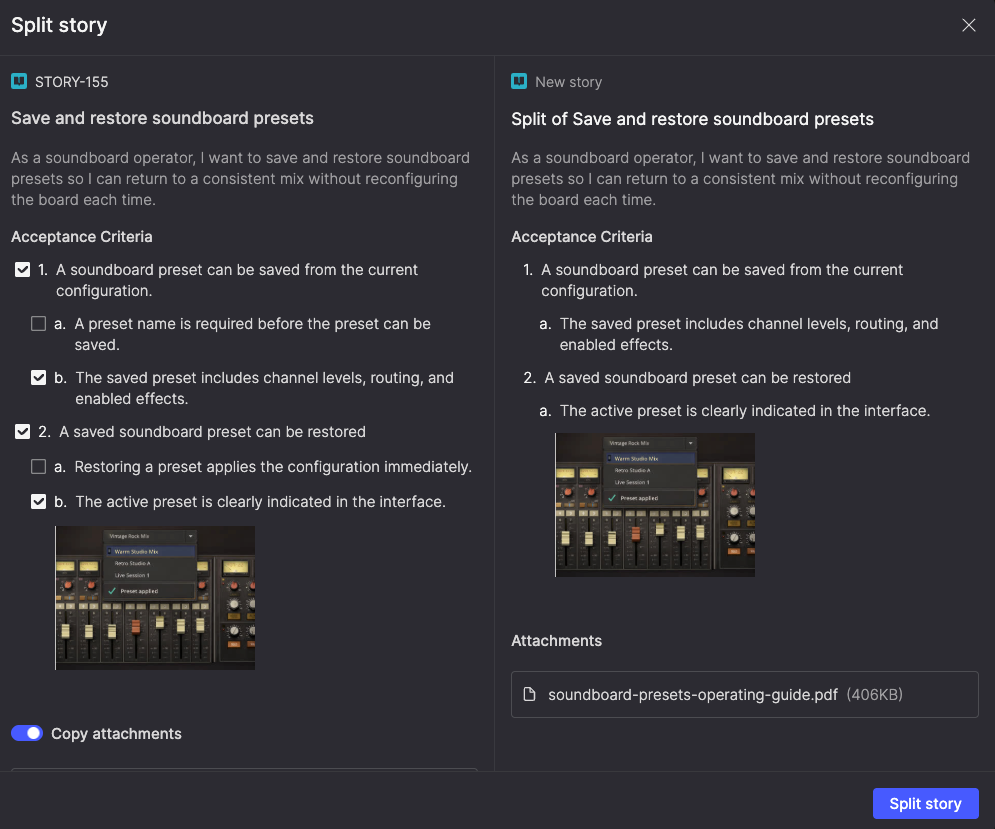
Break large stories into smaller ones without losing context. The new Split story feature lets you move selected acceptance criteria into a new story, with key details—like team, product theme, and timebox—carried over automatically.
When you split a story, Atono links the original and new story for traceability, and records the split in the Activities list. New stories appear at the top of your backlog (or in the same sprint for Scrum teams), keeping backlog refinement fast, work connected, and stories small and focused.
Bulk organize by product theme
Select multiple stories and assign them to a product theme in one action. This lets you group related work around strategic initiatives without editing items one at a time.

See bug status during triage
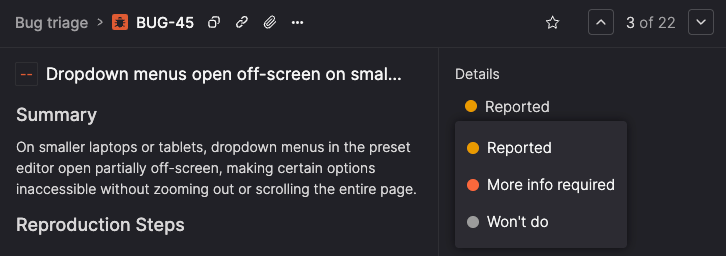
Bugs that aren’t yet assigned to a team backlog now show their triage state (Reported, More info required, Won't do) throughout Atono, giving teams clear context when reviewing new reports and deciding what to assign.
Feature engagement improvements
This release includes several updates to Feature engagement that give teams more control over how usage data is tracked and displayed.
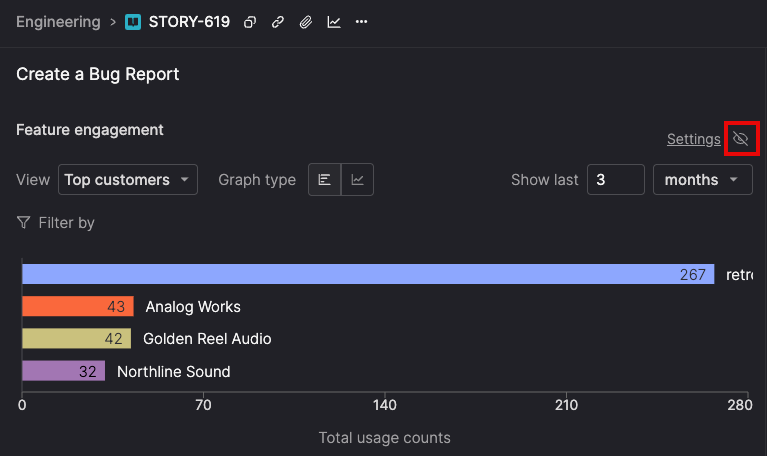
Control feature engagement visibility
Show or hide the Feature engagement section on individual stories depending on what you need to see. When engagement data is relevant, use the graph icon to jump directly to it. When it’s not, hide the section to keep the story focused on work details.
Your visibility preferences are saved per story and persist across sessions, so stories stay configured the way you left them.
Remove mapped actions from stories
Actions mapped using the Atono Chrome extension can now be removed from a story’s Feature engagement settings, making it possible to correct mistakes or stop collecting data for actions that are no longer relevant.
When an action is removed, Atono stops collecting new engagement data for that action. Any historical usage remains available in charts and reports unless it’s cleared.

Usability improvements
A set of focused improvements across Atono that make navigation, visibility, and everyday actions clearer and faster.
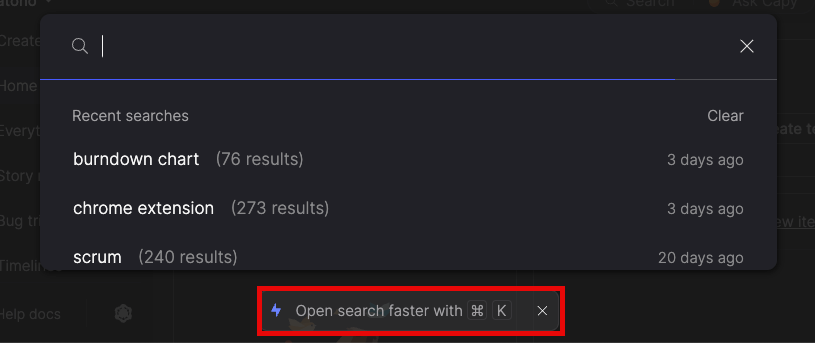
Jump to search instantly
Press Cmd-K (Mac) or Ctrl-K (Windows/Linux) from anywhere to open search, without breaking your flow.
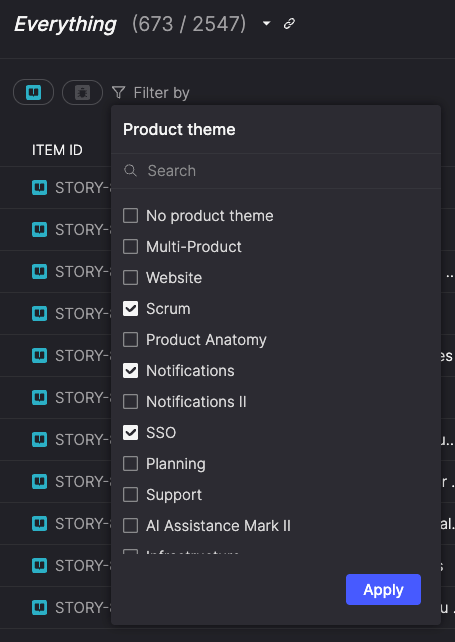
Filter with fewer clicks
Filters now open with all options visible, so you can narrow results immediately instead of drilling into search fields first. Multi-select checkboxes and an optional search make it faster to refine results as you work.
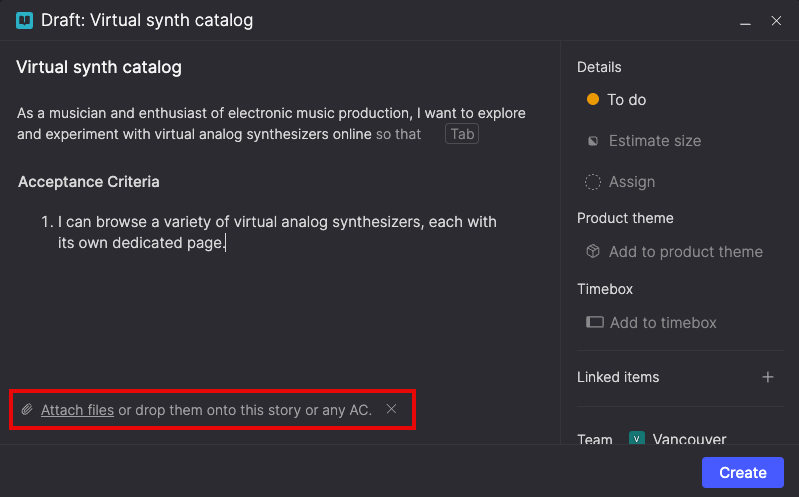
Discover attachments more easily
New visual cues clarify where attachments can be added—whether you’re creating a draft, updating an existing item, or attaching files to specific acceptance criteria.
A paperclip icon in the header and inline prompts in drafts indicate the appropriate place to add attachments, helping ensure files are associated with the right part of a story.

This release strengthens the foundation for teams that want to plan with clarity, execute with focus, and stay aligned without extra overhead—whether you’re running Scrum sprints end-to-end, tracking high-priority bugs, or just trying to keep up with fast-moving work across teams.
As always, there’s more behind the scenes too, and we’ll keep shipping improvements that make Atono simpler to use and easier to trust as your system of record.