

Release overview: May 14, 2026
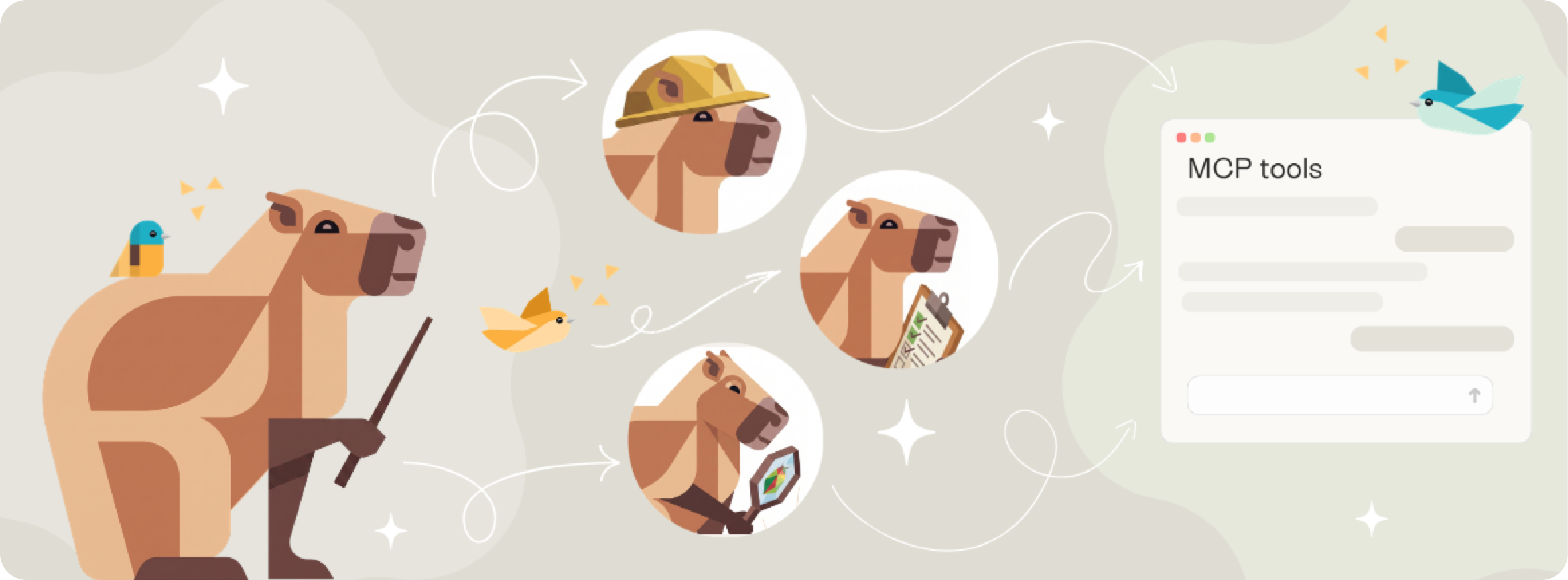
This release makes AI agents more active participants in your product work—introducing new ways to create and manage work directly in your workspace. It also makes risk visible in backlogs where teams can act on it, and keeps your product knowledge aligned as it evolves.
In this release
- Let agents do real work in your backlog with MCP tools to create epics and bugs, update stories, attach files, and link related items—with every action attributed to the person responsible.
- Identify and act on at-risk work from your timeboxes, with interactive warnings and clear risk signals in Scrum and Kanban backlogs.
- Keep your product knowledge current with Glossary refresh, full change history, and undo at any level—so AI always works from up-to-date context.
- Sneak peek: Collaborate with AI on story authoring with a conversational Story assistant, grounded in your product context.
Those are just the highlights. Read on for the full details, or jump ahead to the sections you're most interested in using the links below.
On this page
- Create and manage work with AI agents
- Surface and act on risk in backlogs
- Keep your product knowledge current
- Usability improvements
- Sneak peek: Collaborate with AI on story authoring
Create and manage work with AI agents
AI is becoming part of how product work gets done—not just generating content, but acting on it. This release expands the Atono MCP toolset so agents can create, update, and link work directly in your backlog without switching tools.
It also works reliably across large backlogs, returning complete results so nothing is missed. And even when AI is doing the work, every action is tied to a person, so ownership is always clear and traceable.
Epics
You can now create epics directly through MCP tools. Provide a title, description, and user story statements from the start, so agents can capture the strategic intent behind a body of work and not just the tasks within it.
The tool returns the epic handle making it easy to reference and build on in follow-up work.
Full bug lifecycle
Agents can now capture bugs with full detail at the moment of discovery—reproduction steps, expected and actual behavior, affected environments, and team assignment. As investigation progresses, any field can be updated. Titles can be refined, ownership adjusted, and environments corrected as the picture becomes clearer.
Before creating or updating a bug, agents can retrieve the list of valid environments to ensure they always use the right values.
Story management and authoring context
Agents can now update story titles and add additional content without leaving their workflow, so as understanding improves, the story reflects it. You can also include additional content at creation time, so authoring context is captured in a single step rather than requiring a follow-up.
Attachments and richer responses
Add supporting material as soon as it becomes relevant—screenshots, mockups, and reference documents.
When you retrieve a story or bug, you now get attachment URLs and, for bugs, affected environments. That means agents have the full context they need from a single tool call, without additional lookups.
Learn more about Atono's MCP tools →
Design decisions in AI context
AI context (formerly 'MCP resources') now includes three tabs: Design decisions, Technical investigation, and Technical changes.
The new Design decisions tab captures the reasoning behind why a story is scoped the way it is—the tradeoffs considered, the acceptance criteria framing choices, the items explicitly deferred. Without a place to record that reasoning, it disappears as soon as the authoring conversation ends. Coding agents picking up the work have to guess, or ask, or implement something that doesn't match the original intent.
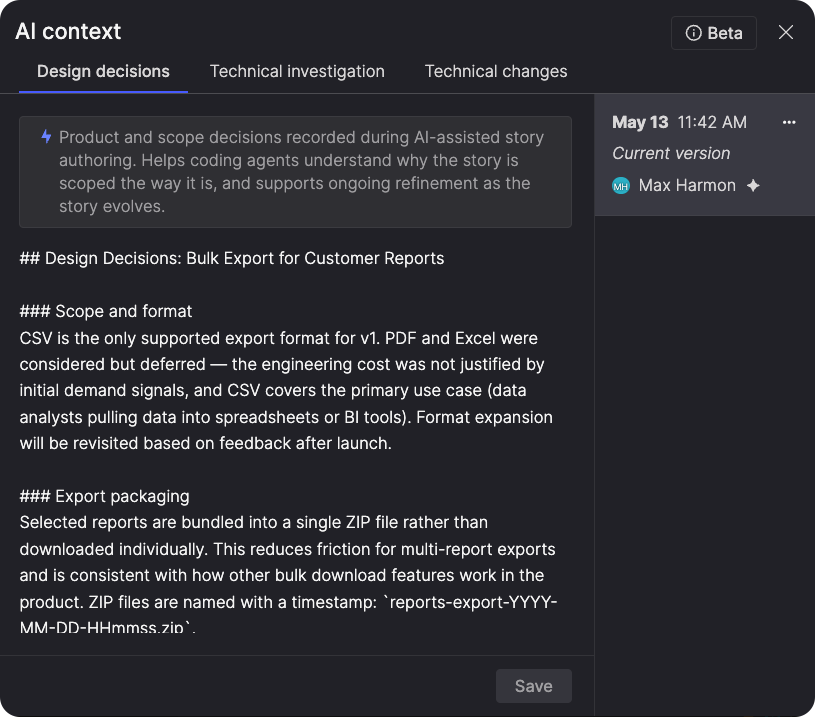
Design decisions gives that reasoning a home—so the intent behind the work carries forward into implementation automatically, without anyone having to explain it twice.
MCP tool descriptions now actively guide agents on when to read and write each context type. When an agent retrieves a story, it's prompted to read AI context first. When it creates a story, it's prompted to capture design decisions immediately—so the reasoning behind the work is recorded from the start.
Surface and act on risk in backlogs
A previous release introduced risk flags on timelines, making it easier for leaders to spot delivery issues across their plans. This release brings that same visibility down to the backlog level, where team leads and contributors can see exactly what's at risk and act on it directly.
From the timebox details view, you can act directly on warnings. Assign a team when ownership is missing, or open the relevant backlog to review the item in context. This lets you investigate delivery risks and respond without breaking your flow.
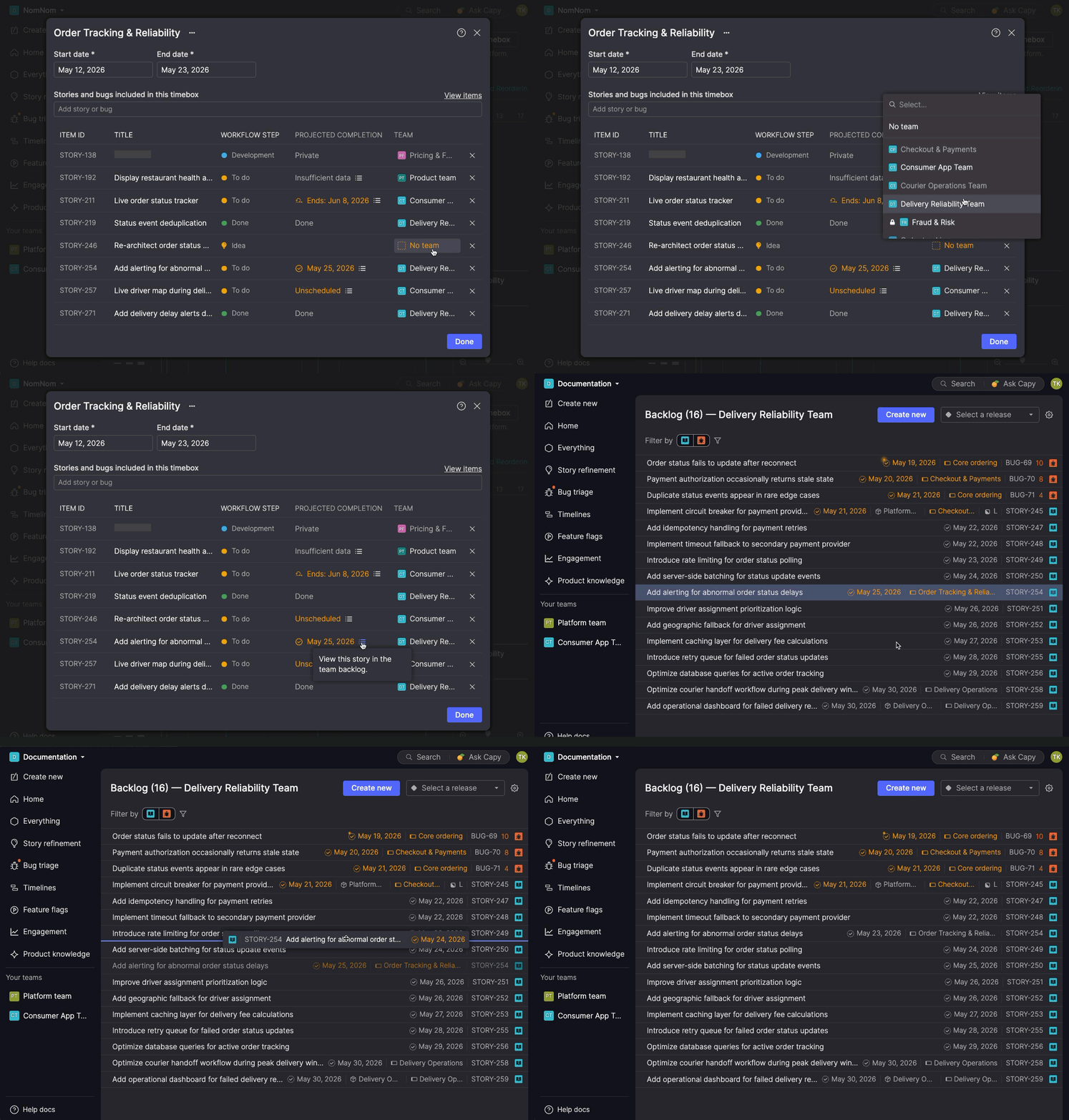
Once you're in the backlog, the risk is clearly surfaced so you can see exactly what needs attention.
Kanban
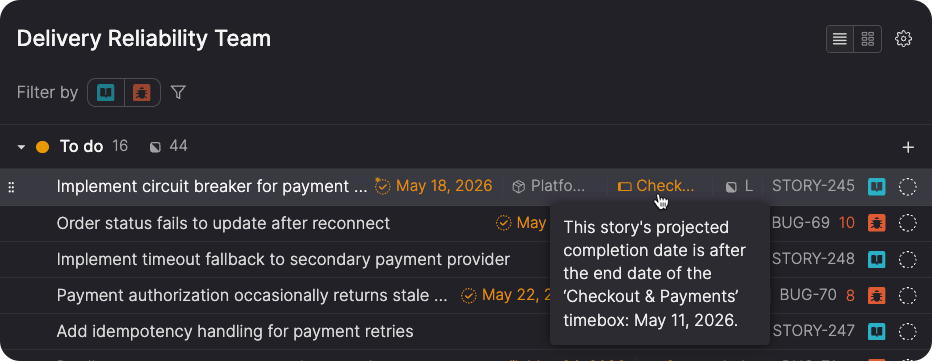
Items that won't complete within their timebox are flagged directly in the list. The projected date and timebox label shift to a warning state, and hovering shows exactly why the item is at risk. As you reprioritize, those signals update in real time, so you can immediately see whether a change puts work back on track.
Scrum
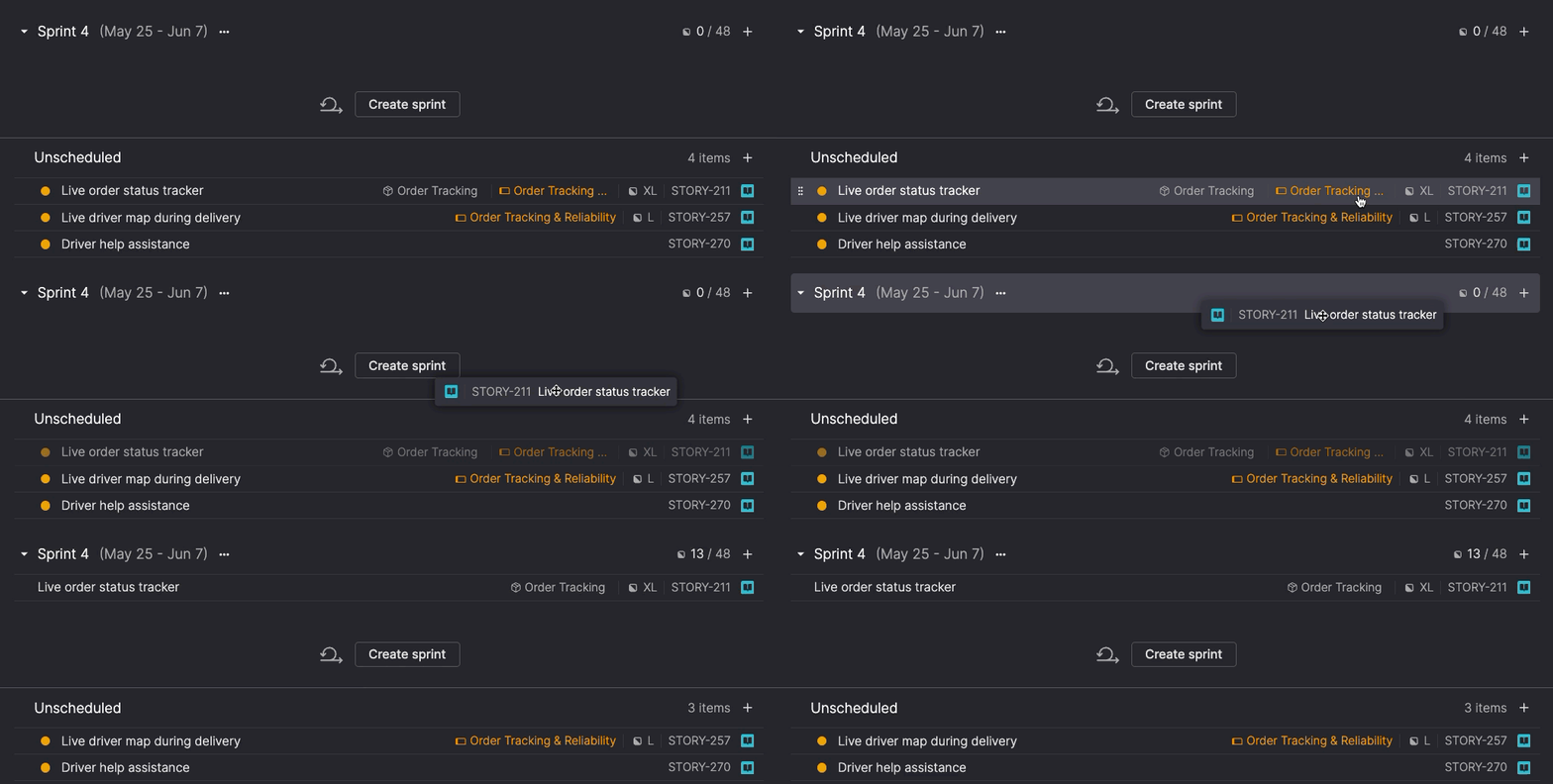
The timebox label turns orange when a story's sprint extends past the timebox end date, or when the story is still unscheduled. As stories move between sprints or into the unscheduled area, the warning updates accordingly.
You can also move work directly to resolve conflicts. Drag items from any sprint or the unscheduled area into a specific position in a future sprint. When you drop them, they automatically move to To do, so you can quickly bring work back on track.
Keep your product knowledge current
Your Glossary works best if it reflects your product today. When documentation changes, outdated definitions introduce subtle inconsistencies in how teams describe and implement work. This release adds Glossary refresh, along with full change history and flexible undo.
Glossary refresh
You can now reprocess your Glossary sources to pick up new concepts and updates without starting over.
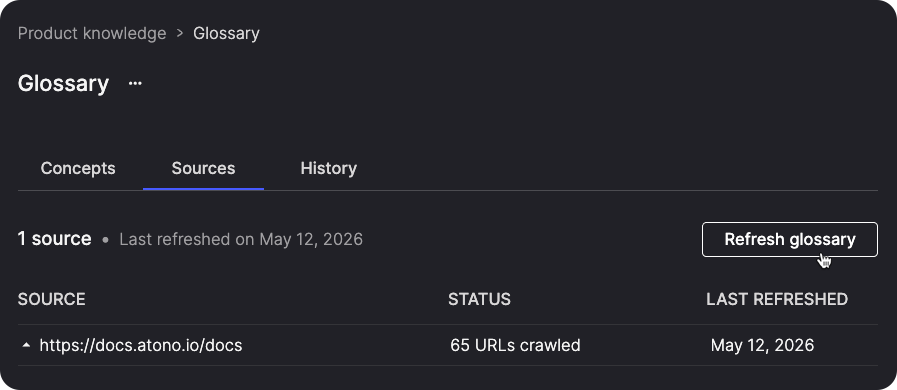
The system takes a conservative approach. It preserves existing definitions unless your sources clearly indicate a change, adds new concepts where needed, and updates existing ones only when the intent is unambiguous.
Manual edits remain intact, so the Glossary reflects your product as it is today without losing the curation your team has already put into it. Deleted concepts aren't added back during a refresh — they remain in the Deleted concepts page, where you can restore them manually if needed.
While a refresh runs, Atono temporarily pauses manual edits to prevent conflicts. When it completes, you'll see a notification summarizing the result.
Full change history with undo
There's now a History tab to see every change made to your Glossary—additions, edits, and deletions, whether made manually or by AI.
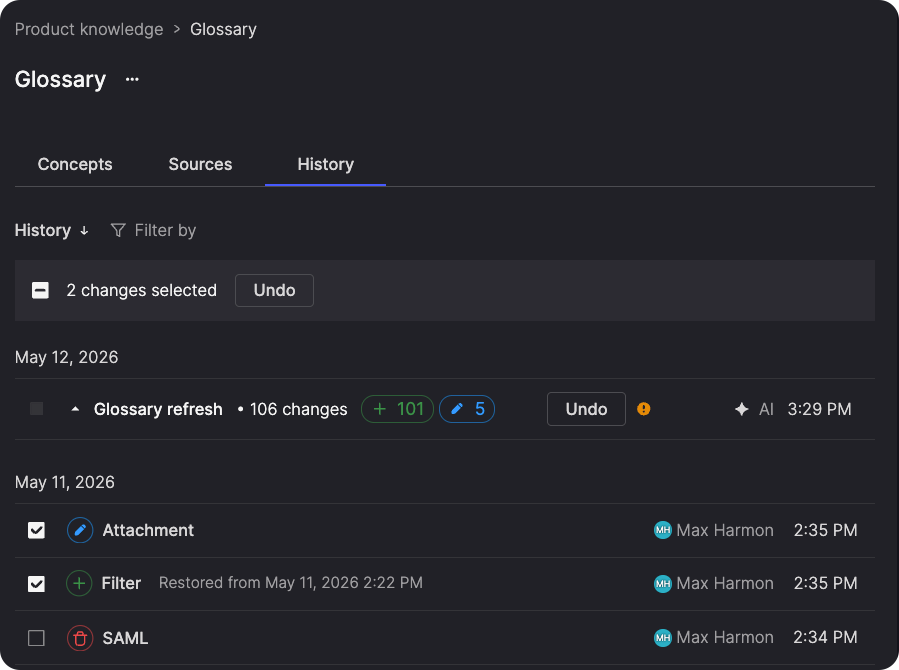
You can filter by change type or source, review the full version history for any concept, and understand exactly how it evolved over time. Each change is traceable, so nothing happens without visibility.
Undo works at every level. Revert a single change, undo multiple changes in bulk, or roll back an entire refresh run. If a refresh affects more than 20% of your concepts, you'll see a warning before anything is applied, giving you a chance to review first.
Usability improvements
We've also made a handful of smaller improvements that smooth out daily workflows.
Epic layout
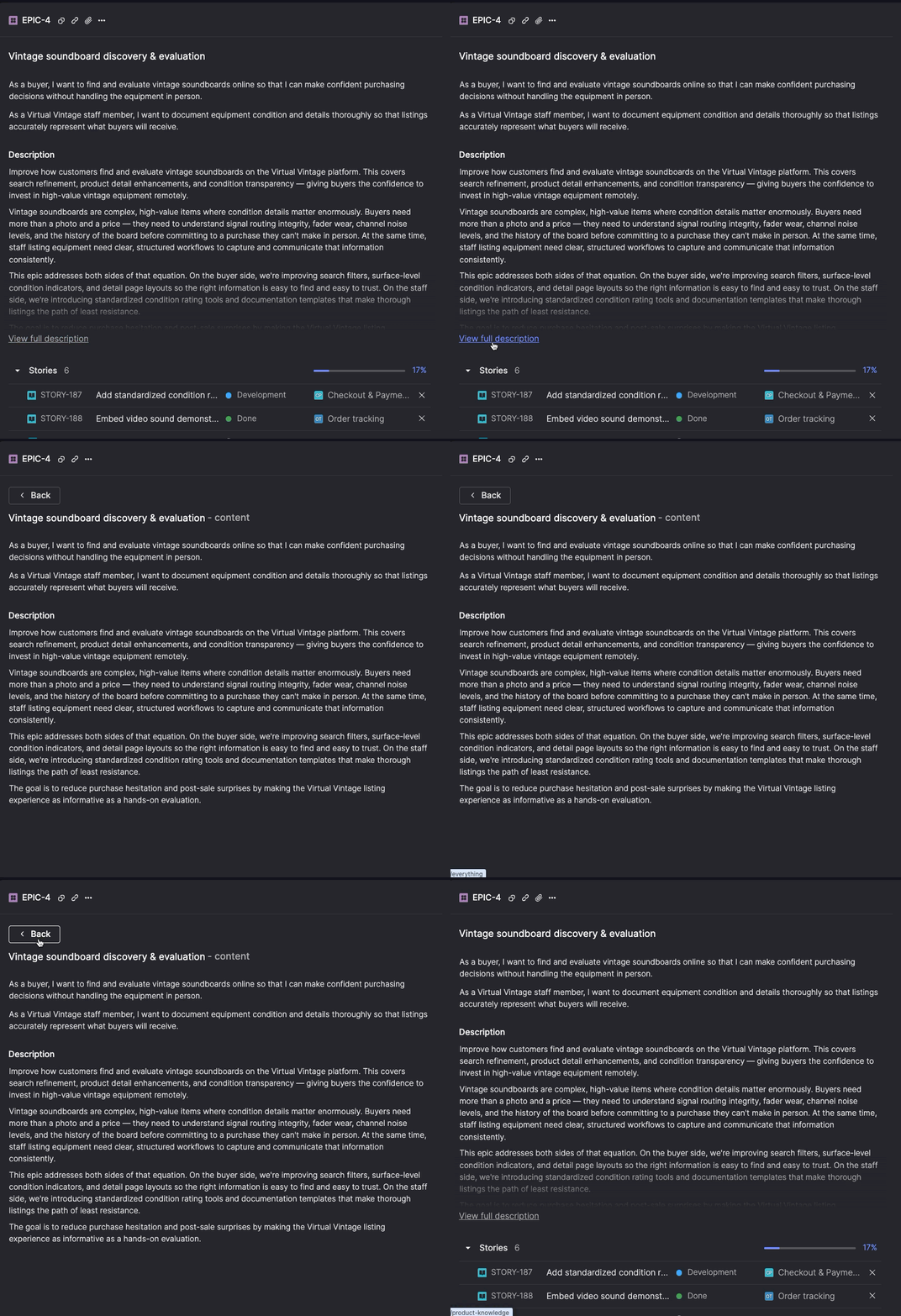
The epic detail screen now follows the same structure as stories—user story statement first, then description and list of stories—so the layout feels familiar if you work with both. Descriptions start collapsed and expand when you need more space.
Deleted acceptance criterion deep links
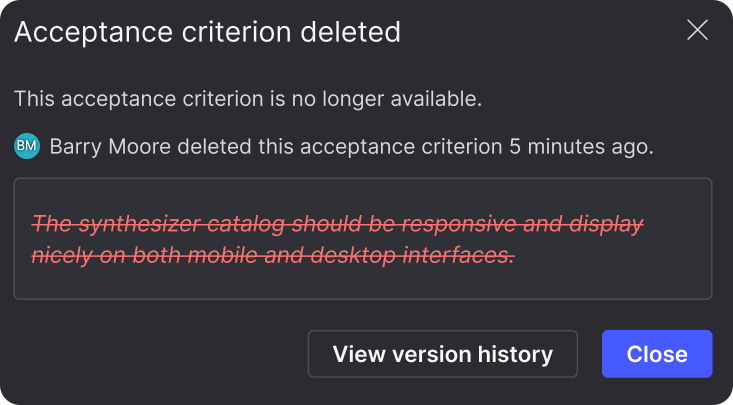
Follow a deep link to a deleted acceptance criterion and see the original text, who deleted it, and when—using the same pattern as deleted comments.
Comments in the header
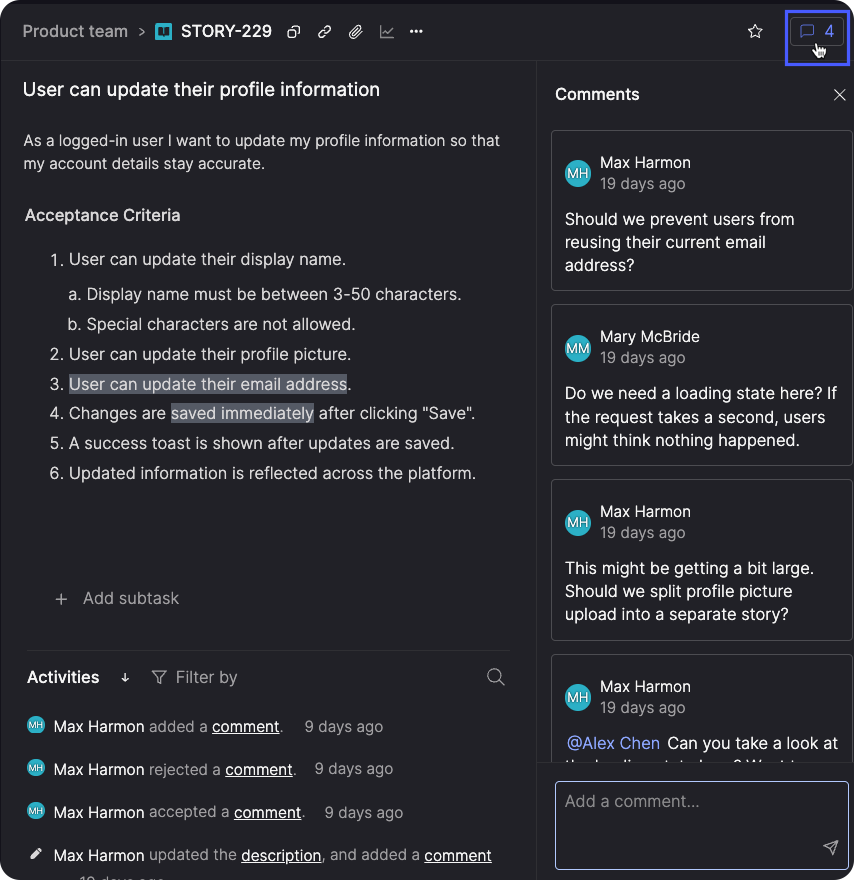
We've moved the comment indicator to the story and bug header, making open comments more prominent and easier to spot at a glance. Select it to open the comments side panel.
Sneak peek: Collaborate with AI on story authoring
We're working on a new way to collaborate with AI while writing stories. Instead of filling in fields or refining details after the fact, you'll work through the story in conversation, with AI helping you shape what needs to be built.
We call this the Story assistant. It lives directly on the story detail screen and uses your product context to guide the discussion.
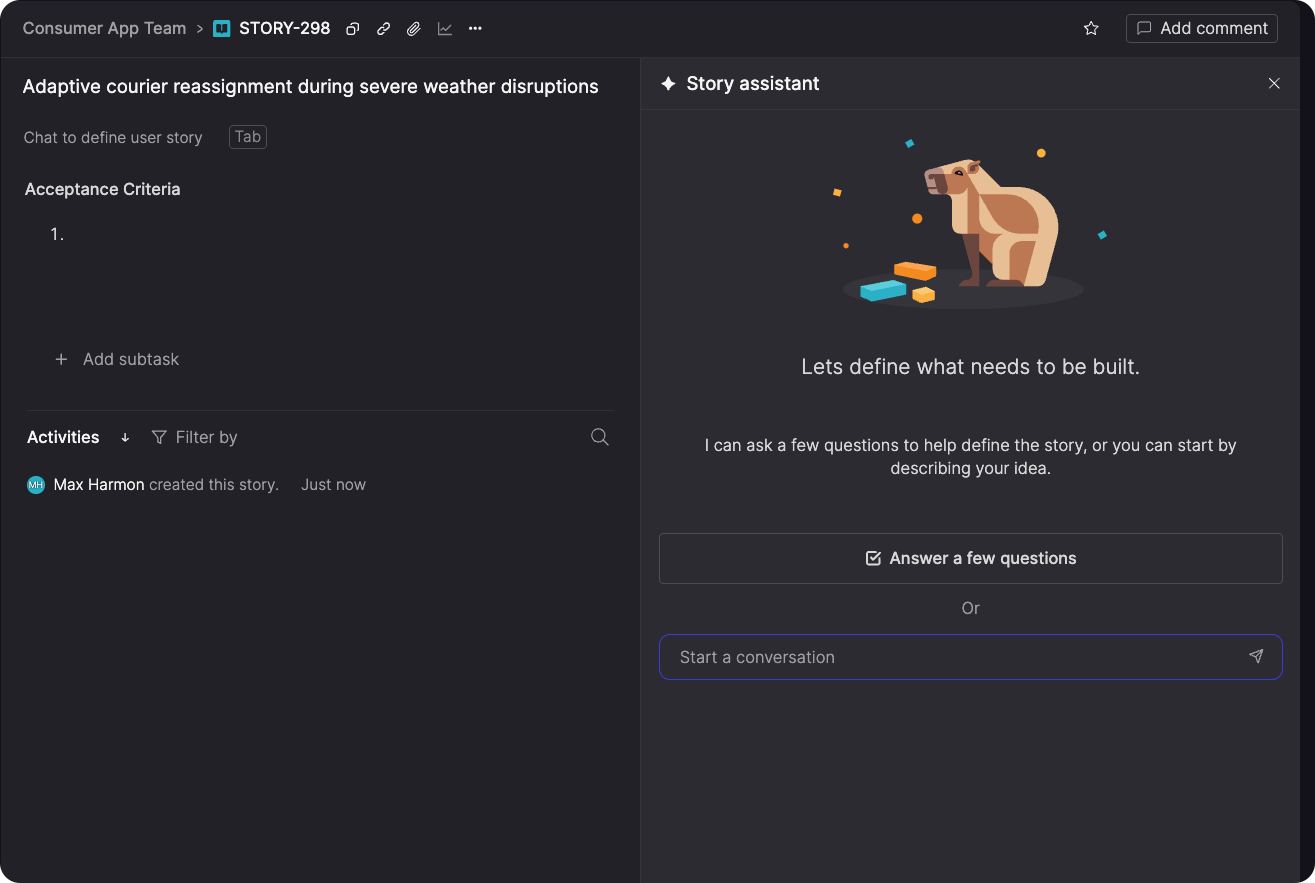
When you open it, the assistant reads the current state of the story and helps move it forward, from clarifying the problem to refining acceptance criteria as it takes shape.
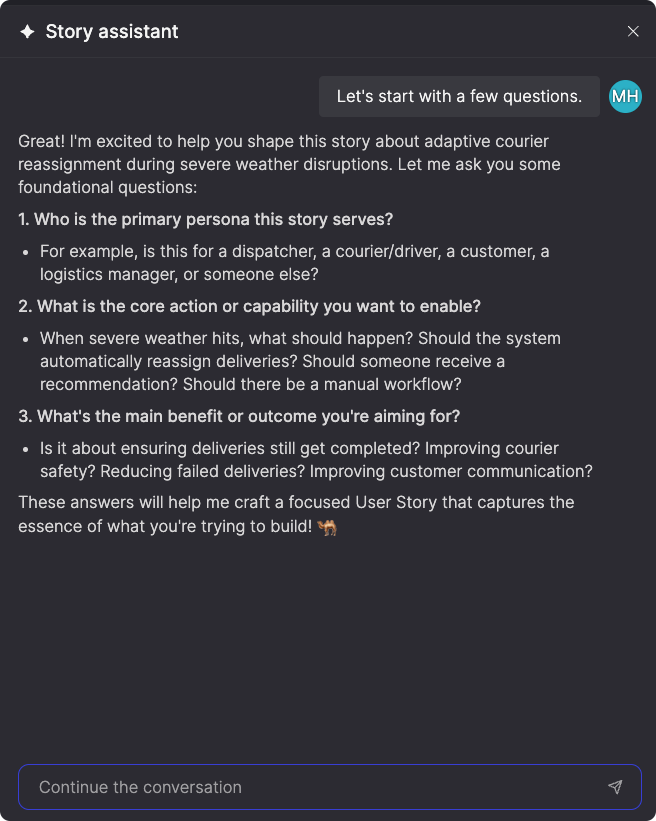
Because it draws from your Glossary and backlog, the conversation stays aligned with how your product works. Design decisions are captured in AI context, so the reasoning carries forward into implementation.
The Story assistant is currently available for demos and early access.