

Release overview: September 15, 2026
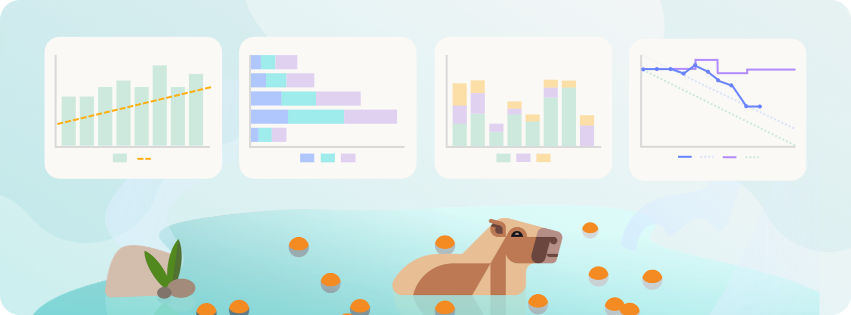
This release gives you more ways to shape stories with AI, understand how your team is delivering, and work with Atono across more of your product development workflow.
The Story assistant can now help you start a story with AI, bring other stories into the conversation as context, and show exactly what changed before you accept an update. New team Analytics reports help you understand story throughput and cycle time from different angles, while the new Java SDK extends Atono feature flags and feature engagement to server-side Java applications.
In this release
- Create and refine stories with more context. Create a story with AI, reference other stories during the conversation, and review suggested changes in a full redline view.
- Understand delivery and plan with more clarity. New Analytics reports show story throughput, how work moves through your team’s workflow, and how cycle time changes over time.
- Extend feature flags to Java backends. Use the new Java SDK to evaluate the same Atono feature flags in server-side Java applications and report backend feature engagement.
- Build and navigate your Glossary faster. Glossary builds and refreshes are faster and more reliable, and a new jump bar makes concepts easier to find.
Coming soon: We're also giving you a sneak peek at Story review, a new AI capability designed to help teams identify gaps and get stories ready for handoff.
Read on for the full details, or jump ahead to the sections you're most interested in using the links below.
On this page
- Create and refine stories with more context
- Understand delivery and plan with more context
- Extend feature flags to Java backends
- Build and navigate your Glossary faster
- Plan and collaborate with epics
- Learn Atono through guided workflows
- Coming soon: Review stories with AI
Create and refine stories with more context
The Story assistant is now available from the story header and has new ways to help you move from an initial idea to a clear, well-defined story, with more context and control along the way.
Start with 'Create with AI'
You can now start a new story with the Story assistant directly from the Create new menu. Select Create with AI, describe what you want to build, and Atono will generate an initial title and open the story and the Story assistant together.
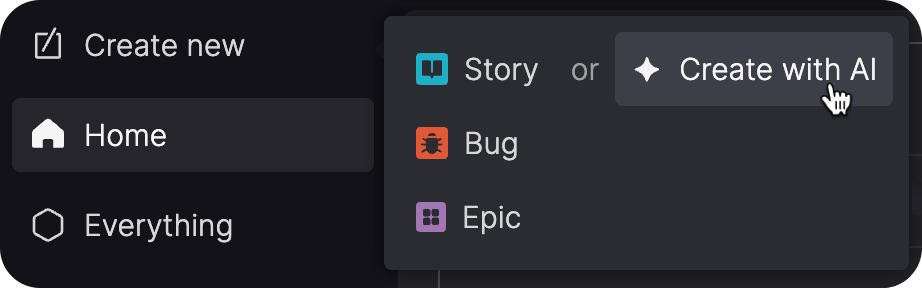
From there, continue shaping the story in conversation. The Story assistant can also update the title as the story evolves, helping keep it aligned with the scope of the work.
Reference other stories
You can now reference other stories directly in your conversation with the Story assistant. Mention one or more story IDs and the Story assistant can use their titles, user stories, acceptance criteria, and additional content as context for the story you're working on.
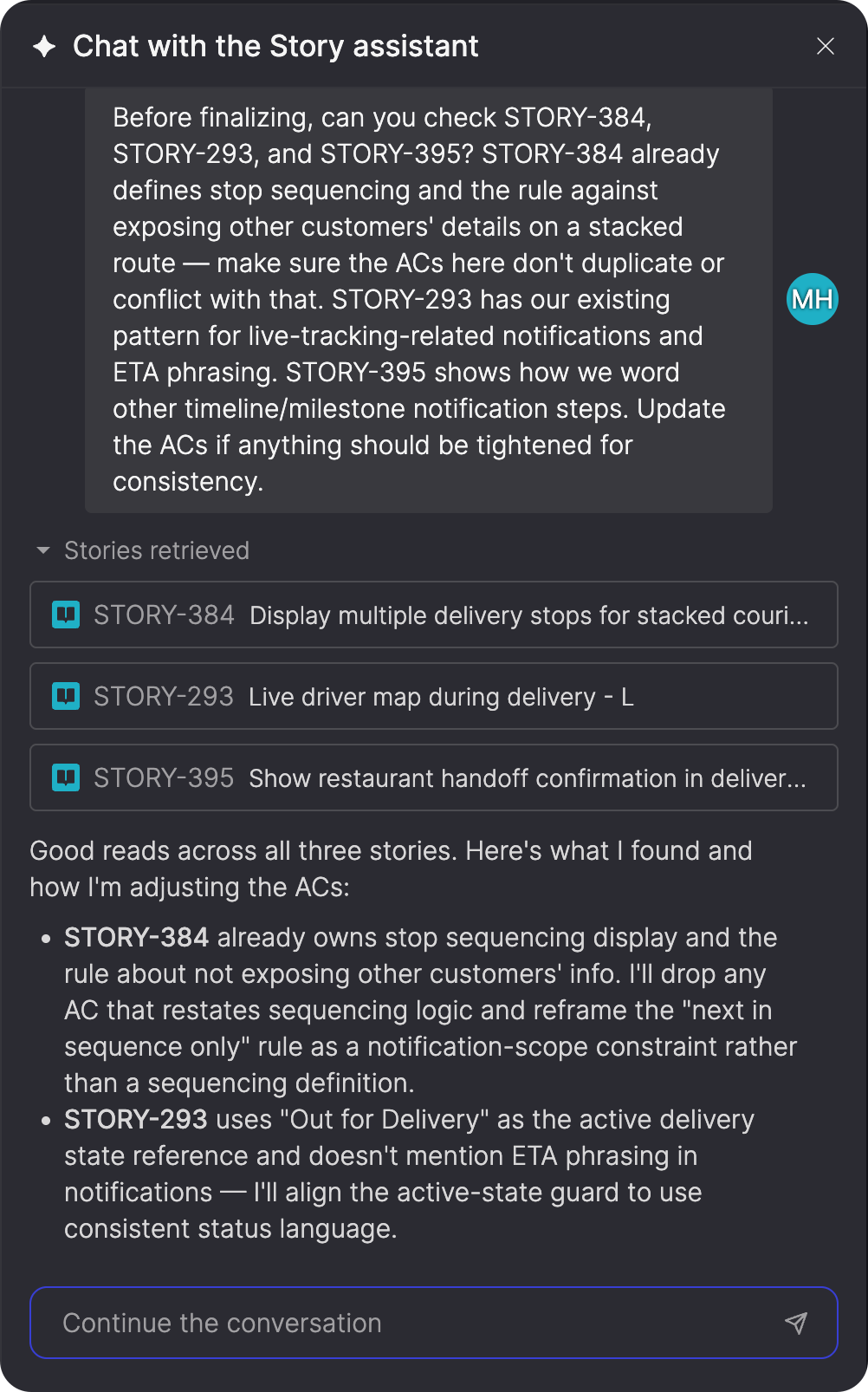
This can help when you're creating similar work, keeping requirements consistent across related stories, or refining a story that was split from another one.
See exactly what changed
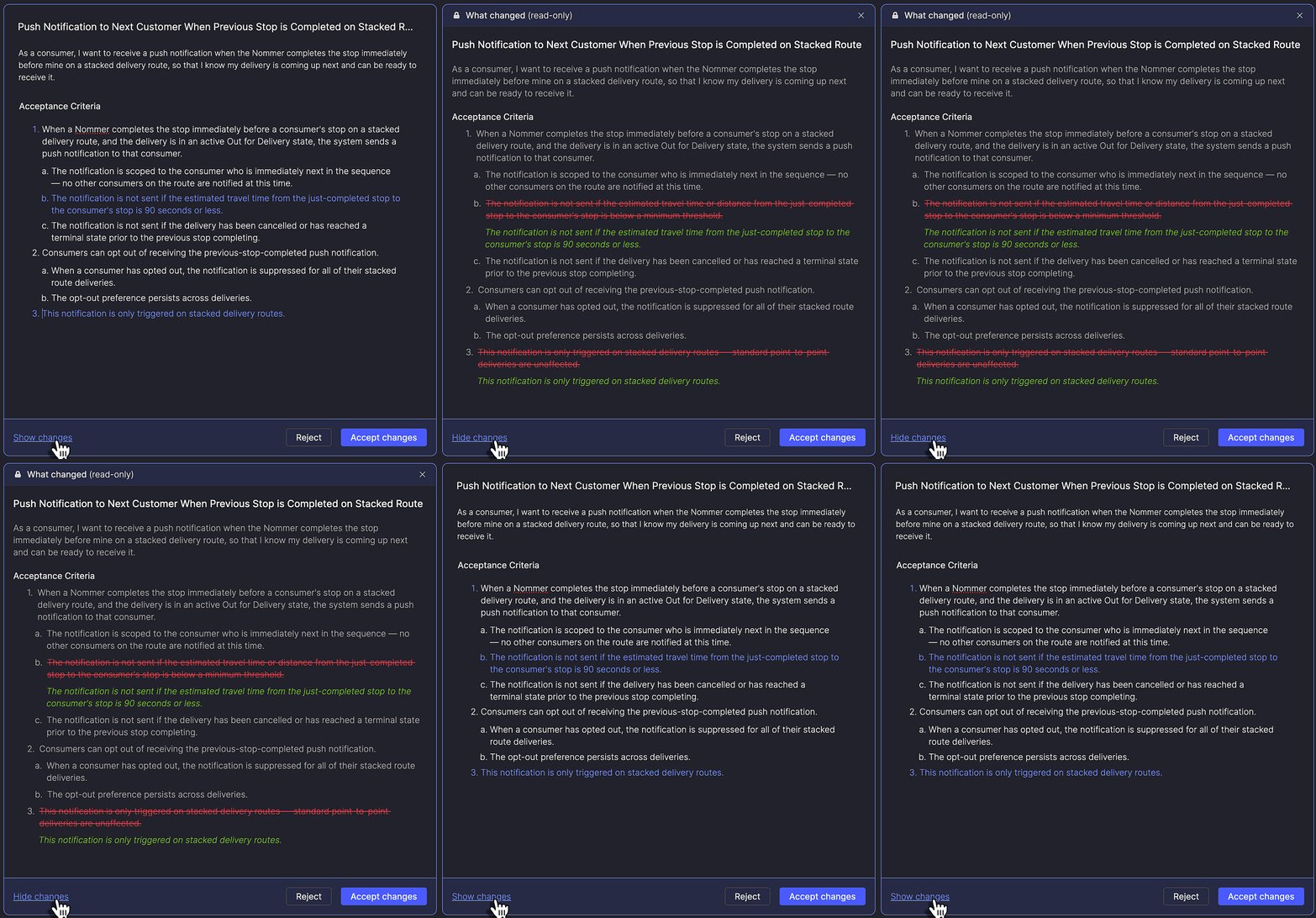
The preview panel now includes the option to Show changes, which displays a full redline of the Story assistant's suggested updates.
You can see both additions and removals across the title, user story, and acceptance criteria before deciding whether to accept the changes. Switch back to the regular preview whenever you want to edit the suggested content directly.
Learn more about the Story assistant →
Understand delivery and plan with more context
The Team Overview now includes an Analytics tab with reports designed to help you understand how much work your team is completing, where that work spends its time, and how those patterns are changing.
This release also adds more context to planning views, helping you distinguish changes in sprint scope from delivery progress and keep projected completion dates visible while filtering work.
Track story throughput
The new Story throughput report shows how many stories or story points your team completes over time.
Switch between story and story point views, choose weekly or monthly intervals, or view throughput by sprint for Scrum teams. Summary metrics show total and average throughput, while the trend line helps you see how the team's delivery rate is changing across the selected period.
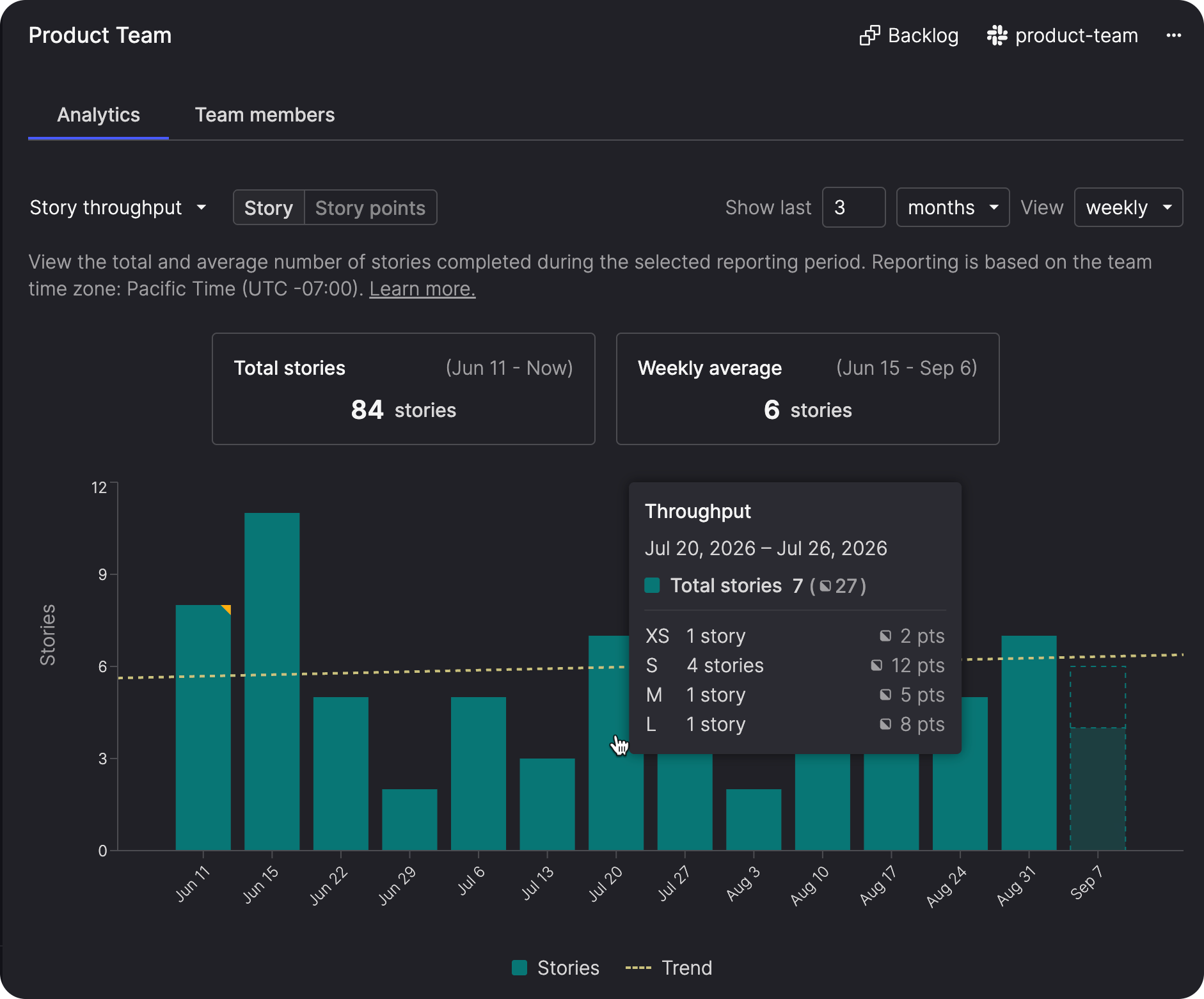
The current period also includes a projection based on the team's cycle time history, giving you an early indication of where the period may finish.
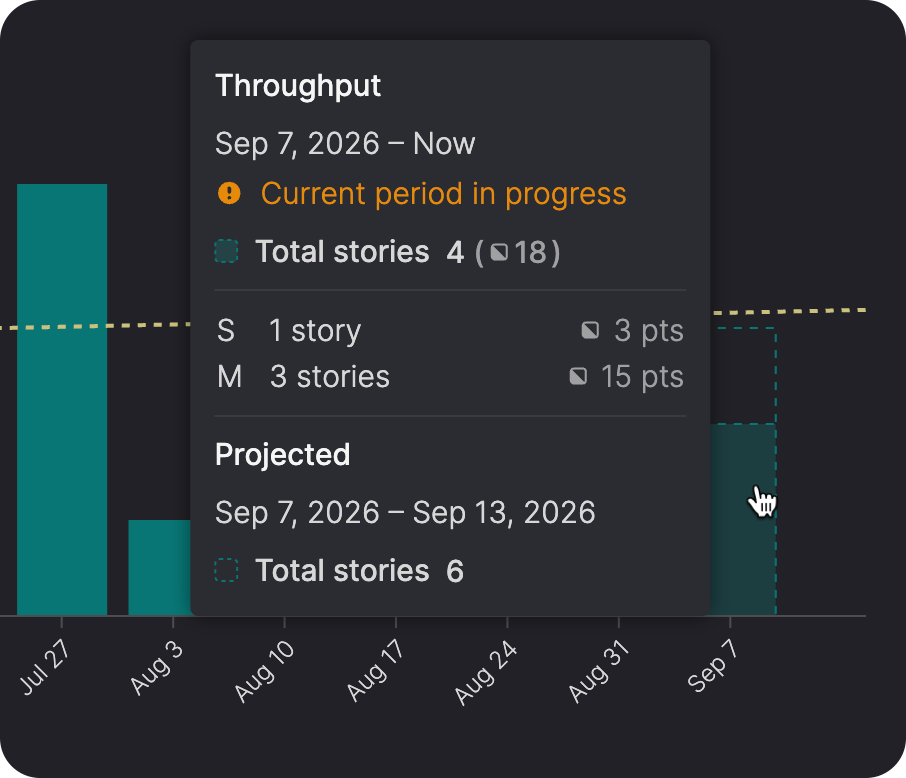
When you want more detail about a particular result, hover over its bar to open a popover with the period's totals and story-size breakdown. Select the bar to open the Everything page with filters applied to the stories included in that period.
Learn more about Story throughput →
See how work moves through your team's workflow
Cycle time by workflow step breaks average cycle time down across the steps in your team's workflow, with separate rows for story sizes and bugs.
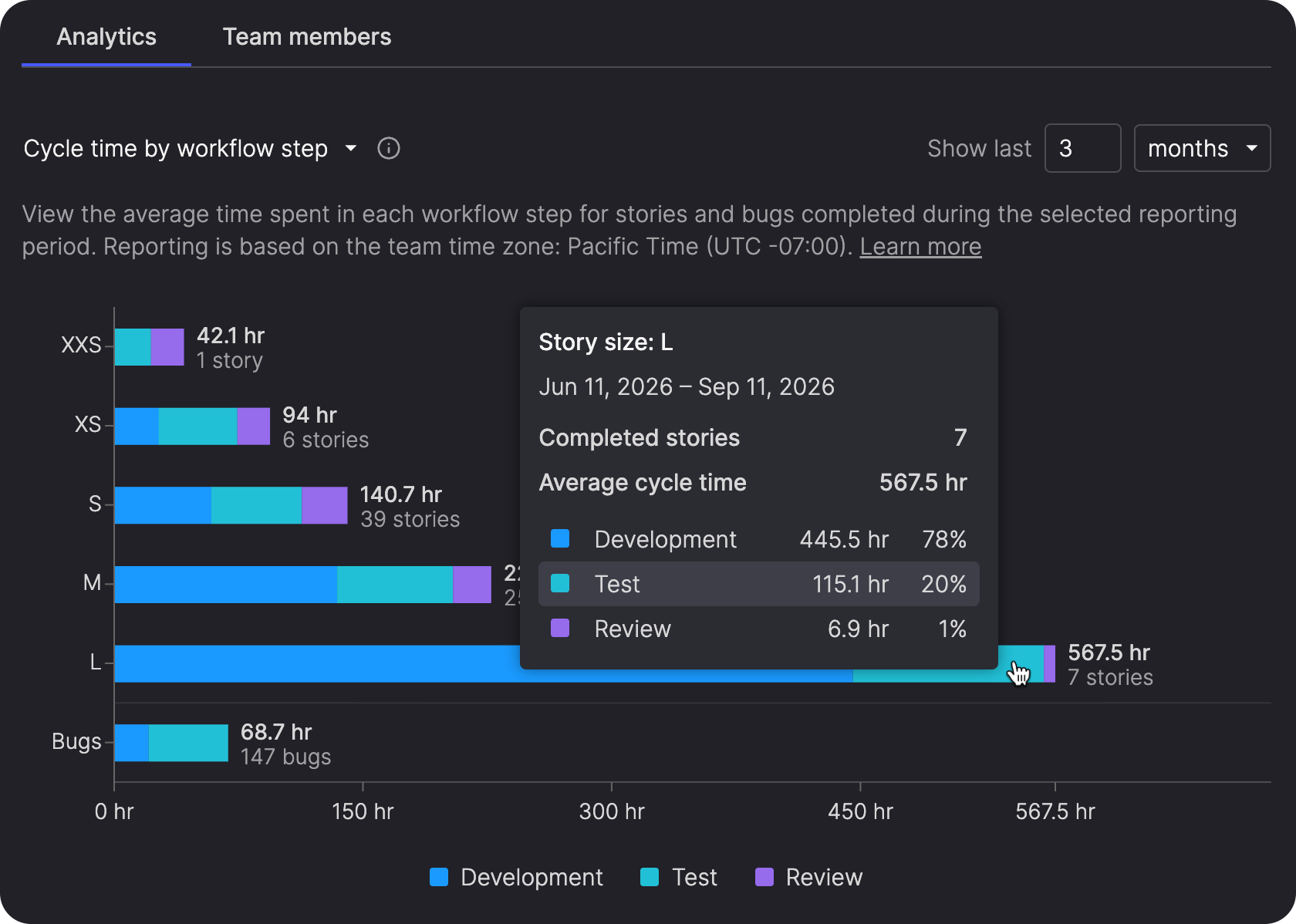
This helps you identify bottlenecks, compare how different types of work move through the workflow, and see whether items are spending more time in development, review, testing, or other steps. It can also help you spot workflow steps that may need attention and identify patterns that could point to issues with how your team is sizing stories.
Learn more about Cycle time by workflow step →
Follow cycle time over time
Cycle time over time combines stories and bugs in a single report so you can see how average cycle time changes from one period to the next.
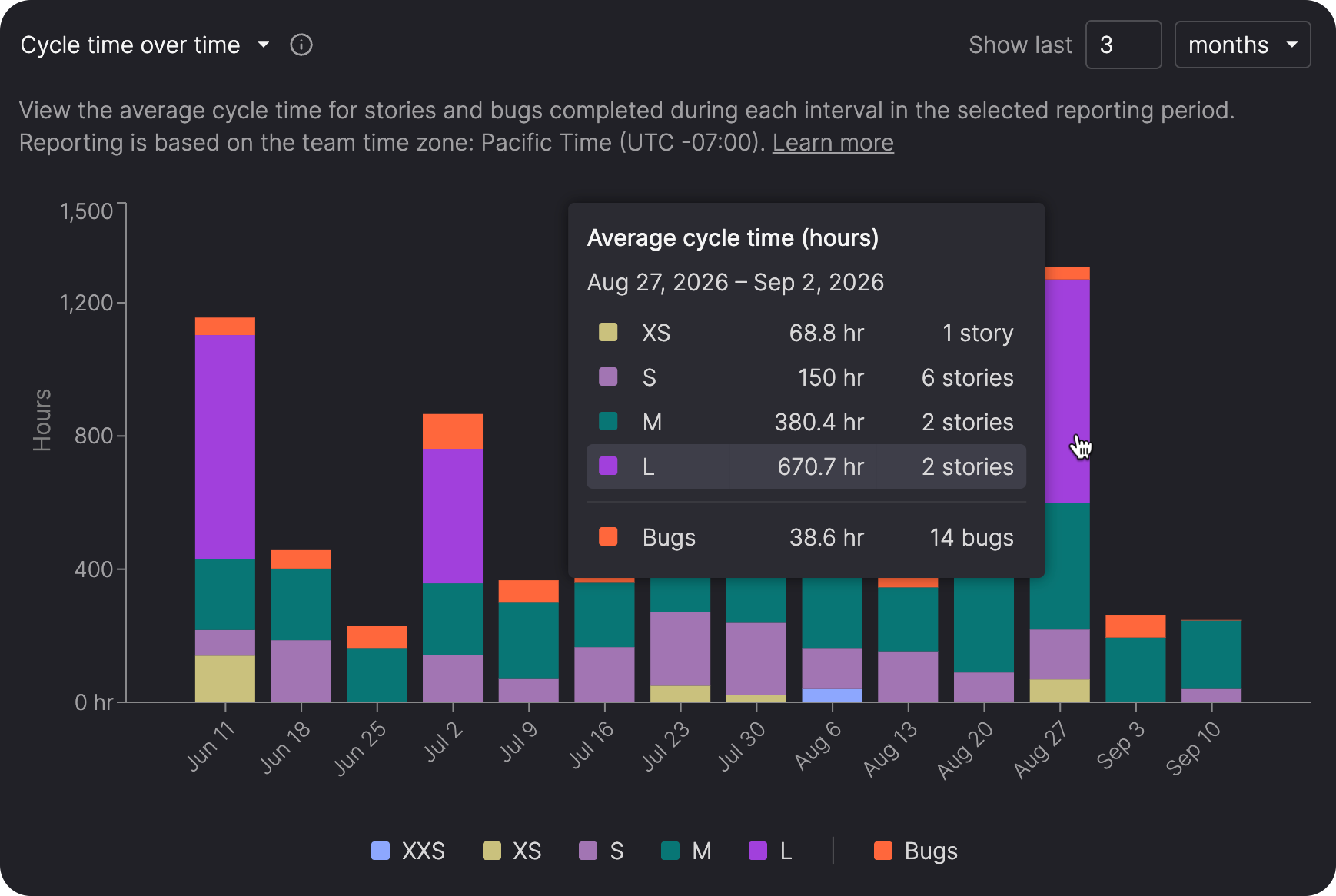
Stories are broken down by size, while bugs are shown separately, helping you spot whether changes are concentrated in a particular type of work or reflect a broader shift in delivery patterns.
Learn more about Cycle time over time →
See sprint scope changes in the burndown
The burndown chart now includes a Scope line showing the total story points in the sprint each day.
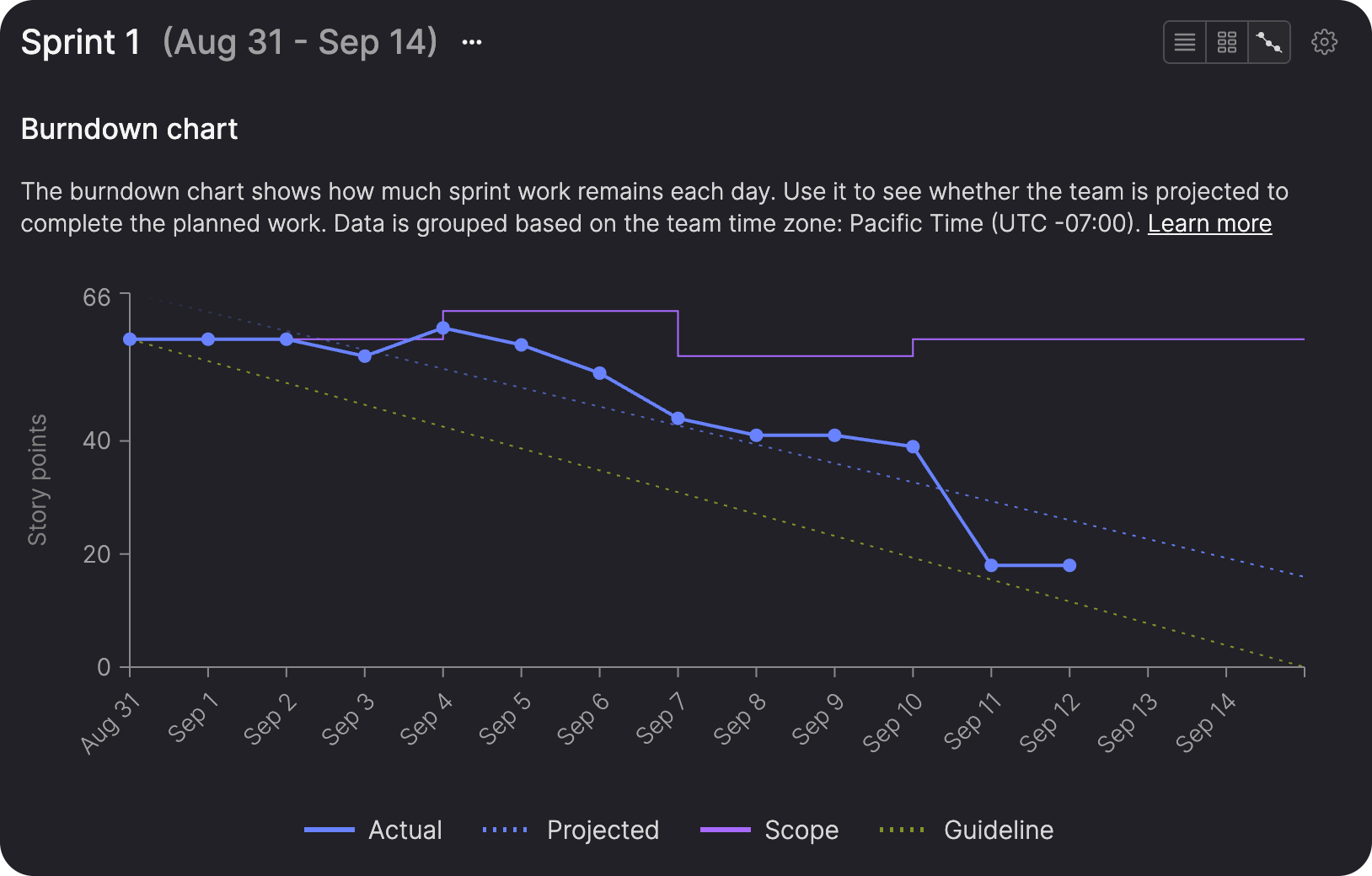
Hover over the line to see which stories were added or removed, helping you distinguish changes in sprint scope from changes in delivery progress.
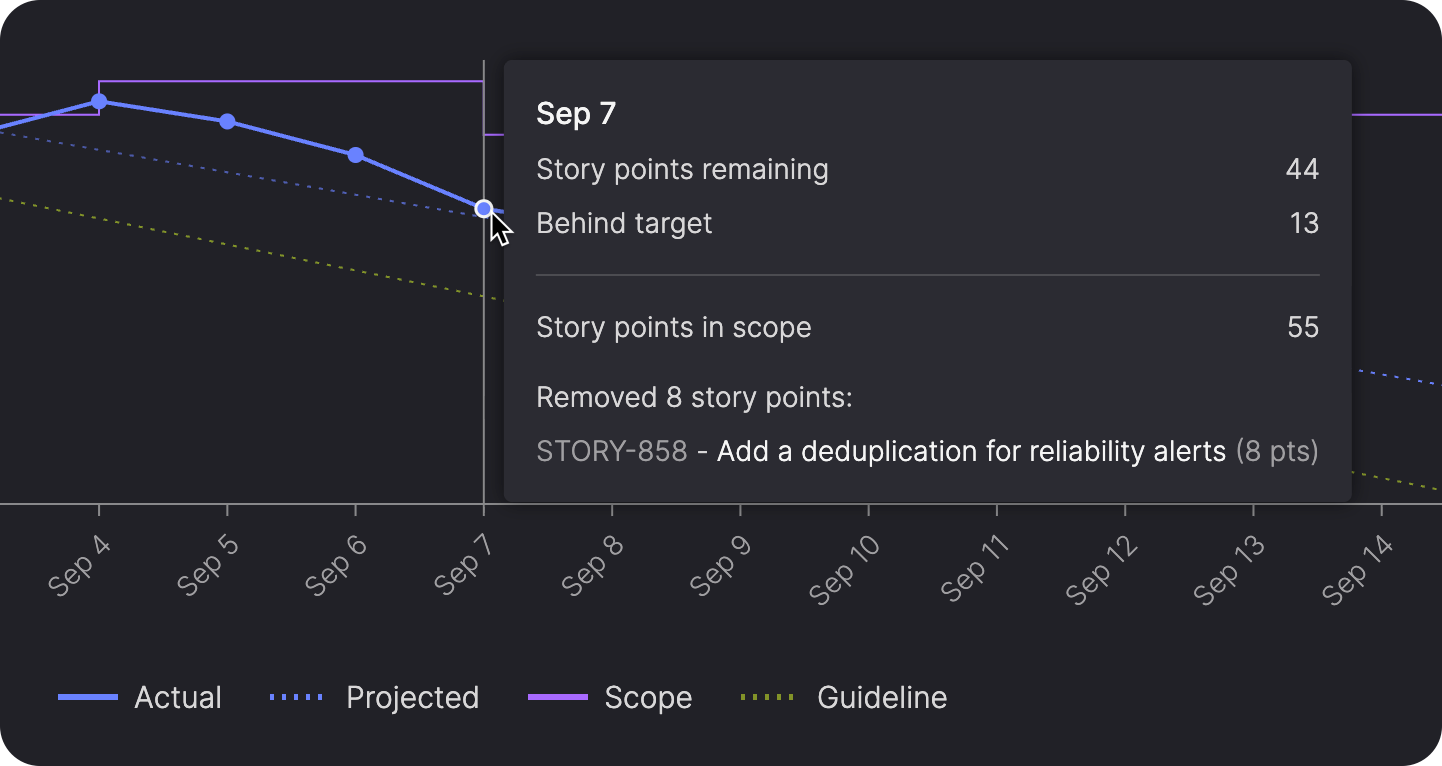
Learn more about burndown charts →
Keep projected completion dates in view
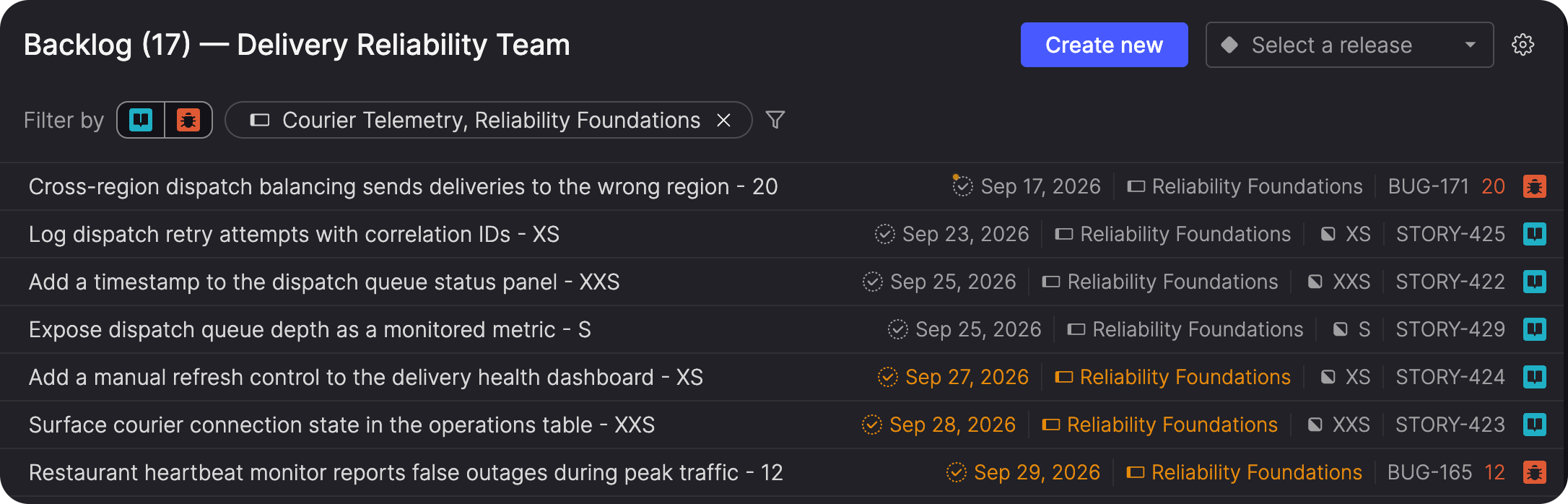
Projected completion dates remain visible in Kanban Backlog and In progress views when filters are applied.
This lets you narrow a planning view to the work you want to focus on while still seeing the delivery estimates that help you understand when that work is likely to finish.
Extend feature flags to Java backends
Atono now has a Java SDK for using feature flags and tracking feature engagement from server-side Java applications.
Use the same Atono feature flags across frontend and backend code, with support for attributes such as customer and location. This lets teams control related behavior consistently across different parts of an application using the same flag configuration.
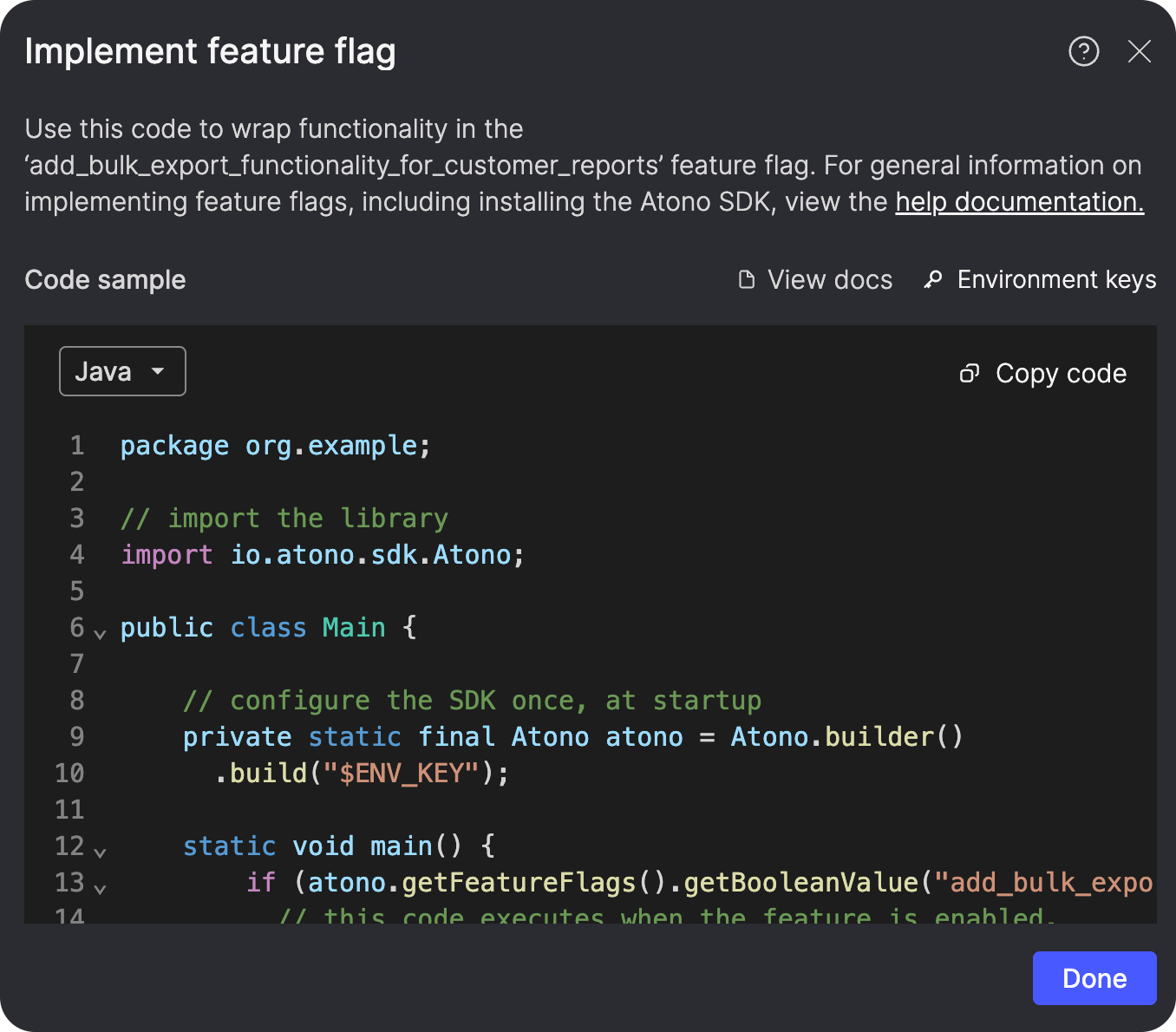
The Java SDK can also report feature usage directly from backend code, extending feature engagement tracking to interactions that don't originate in the browser.
Build and navigate your Glossary faster
Glossary builds and refreshes are now faster and more reliable across documentation sites, helping you keep the product context used by Atono's AI tools up to date.
The Glossary page also loads faster and includes a new alphabetical jump bar. Select a letter to move directly to that section of the Glossary. If you have concepts beginning with a number or symbol, a # section appears for those entries.
The jump bar remains available as you scroll and highlights the section you're currently viewing, making larger Glossaries easier to navigate.
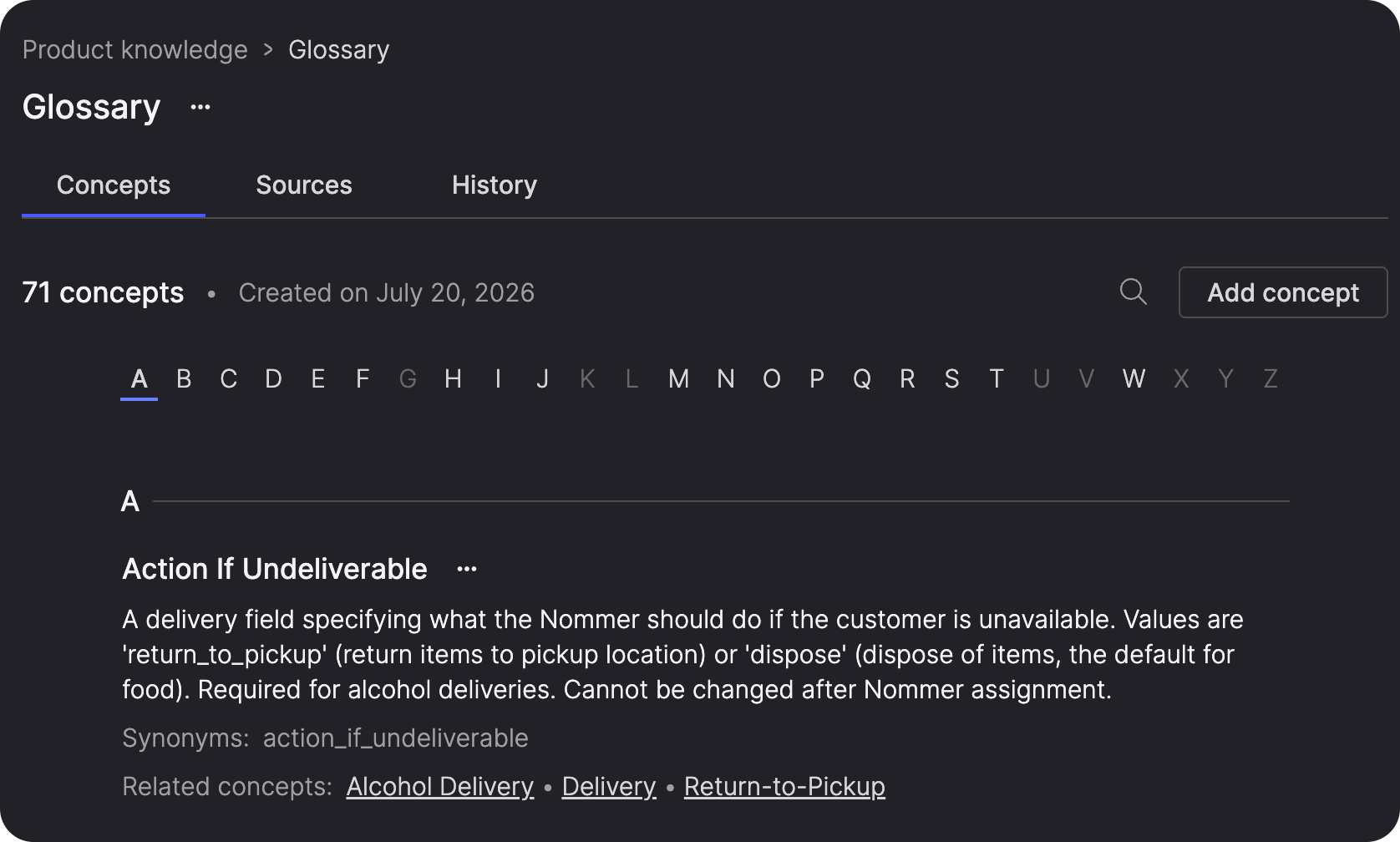
Learn more about the Glossary →
Plan and collaborate with epics
New epic capabilities make it easier to work with related stories when you're planning and to keep discussions about an epic connected to the work itself.
Find and update stories by epic
The Everything view now includes an Epic column that shows which epic a story belongs to and lets you sort the view by epic.
You can also filter the Everything view by one or more epics, including stories with no epic assigned. When the Epic filter is active, the Epic column appears automatically so you can see the relationship alongside the results.
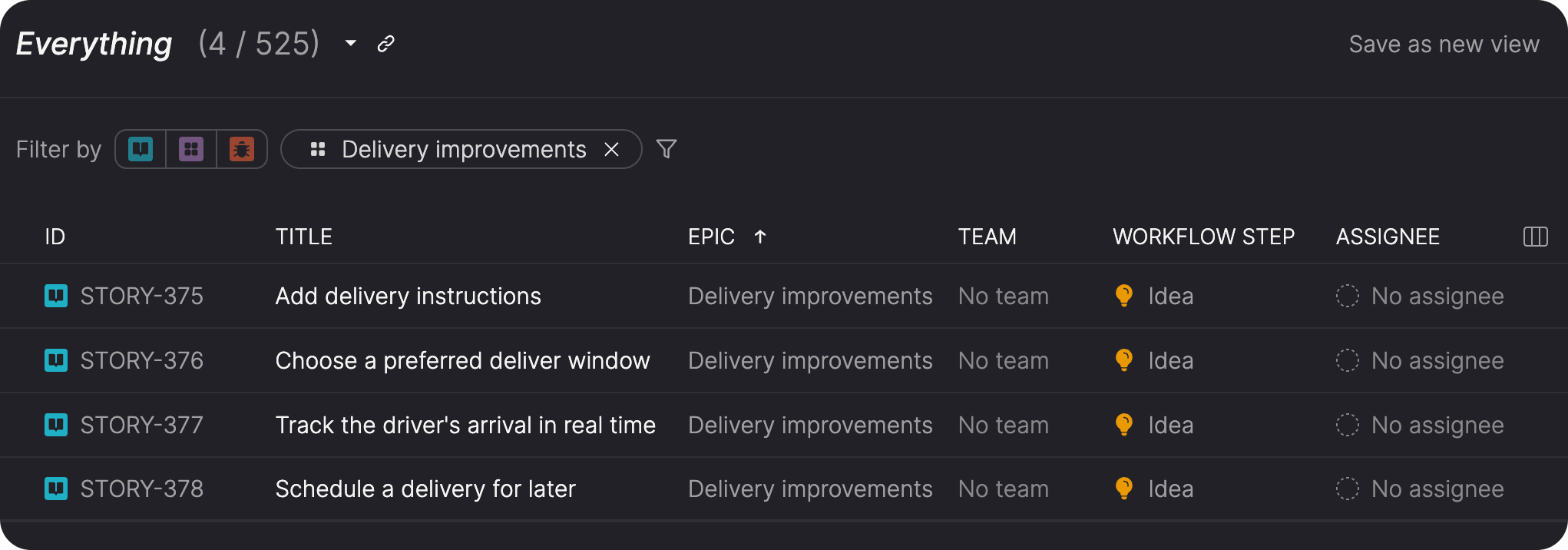
This is particularly useful when you're planning across a group of related stories and want to use bulk actions to update them together, such as adding them to a timebox or applying the same product theme.
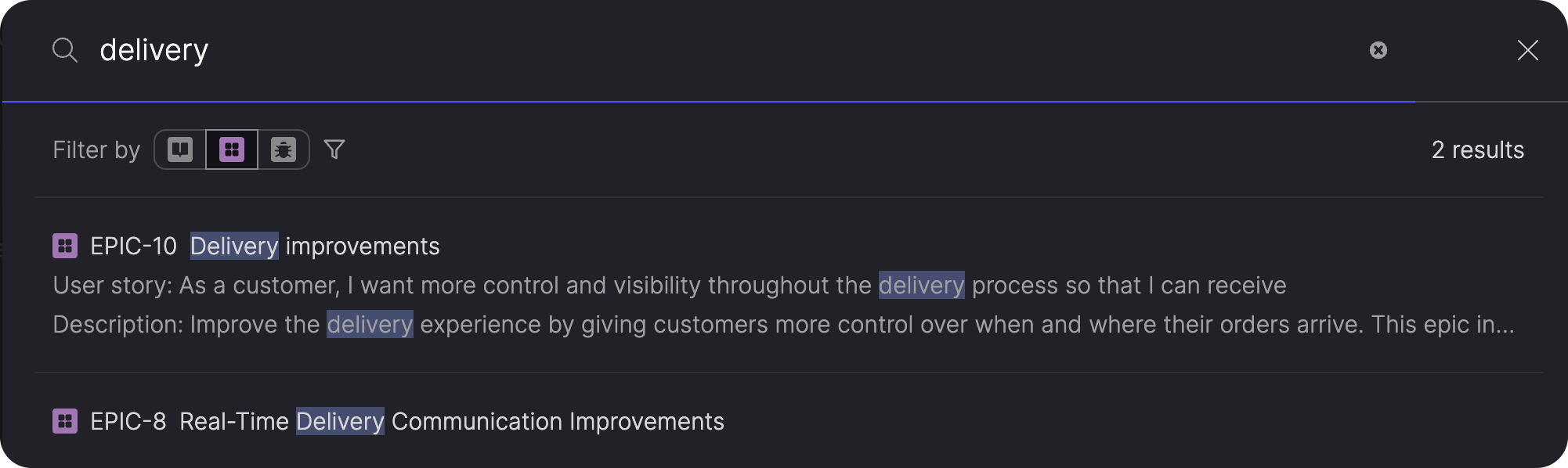
Epic filtering is also available in Search, giving you another way to narrow results when you know which body of work you're looking in.
Comment directly on epics
You can now add both general and text-specific comments to epics.
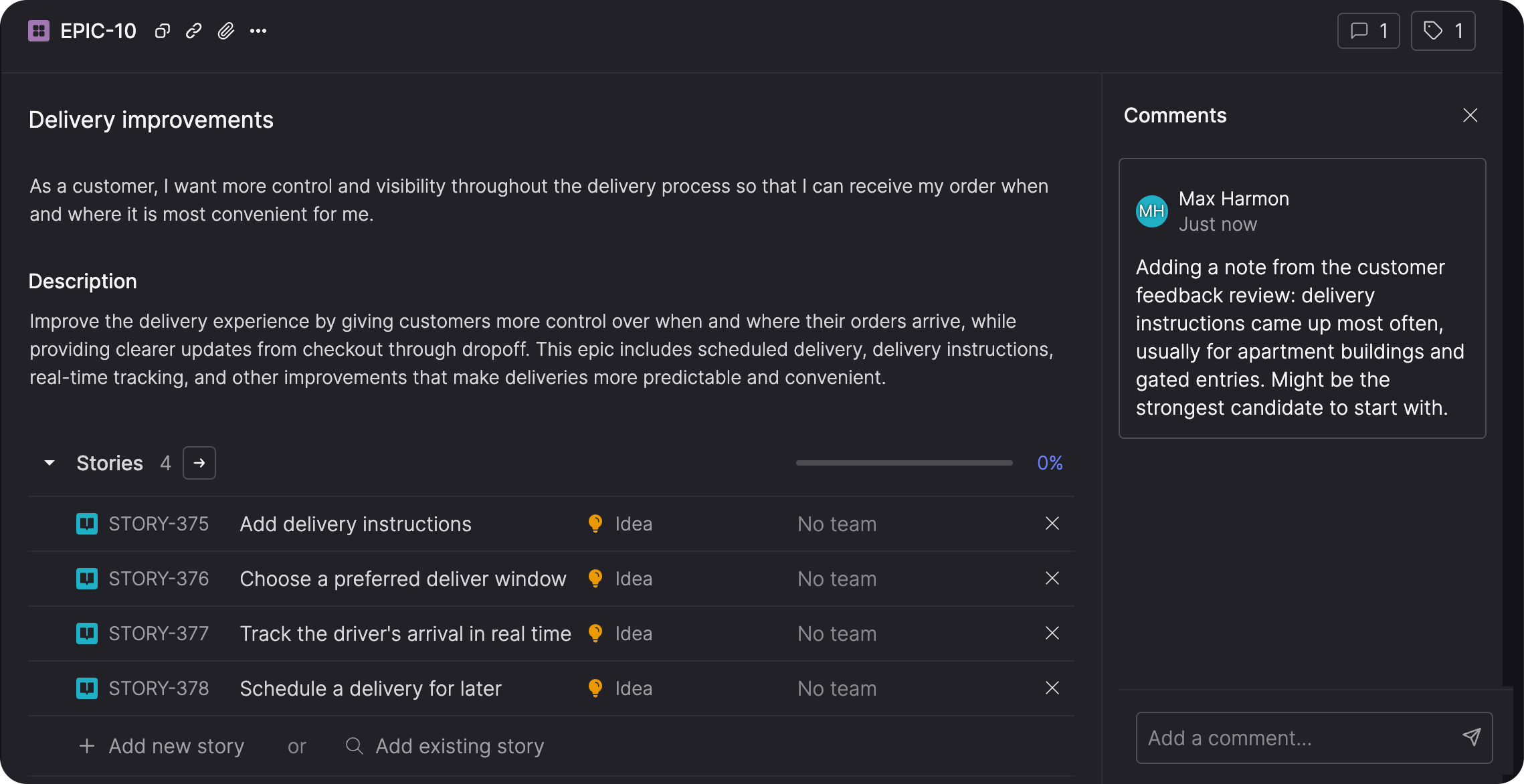
Epic comments support the same collaboration features available on stories and bugs, including @mentions, accept and reject actions, and comment activity. This keeps feedback about an epic's scope and direction connected directly to the epic.
Learn Atono through guided workflows
New Atono workspaces include role-based onboarding and sample data to help users learn the product through realistic, guided workflows.
Follow a checklist built around your role
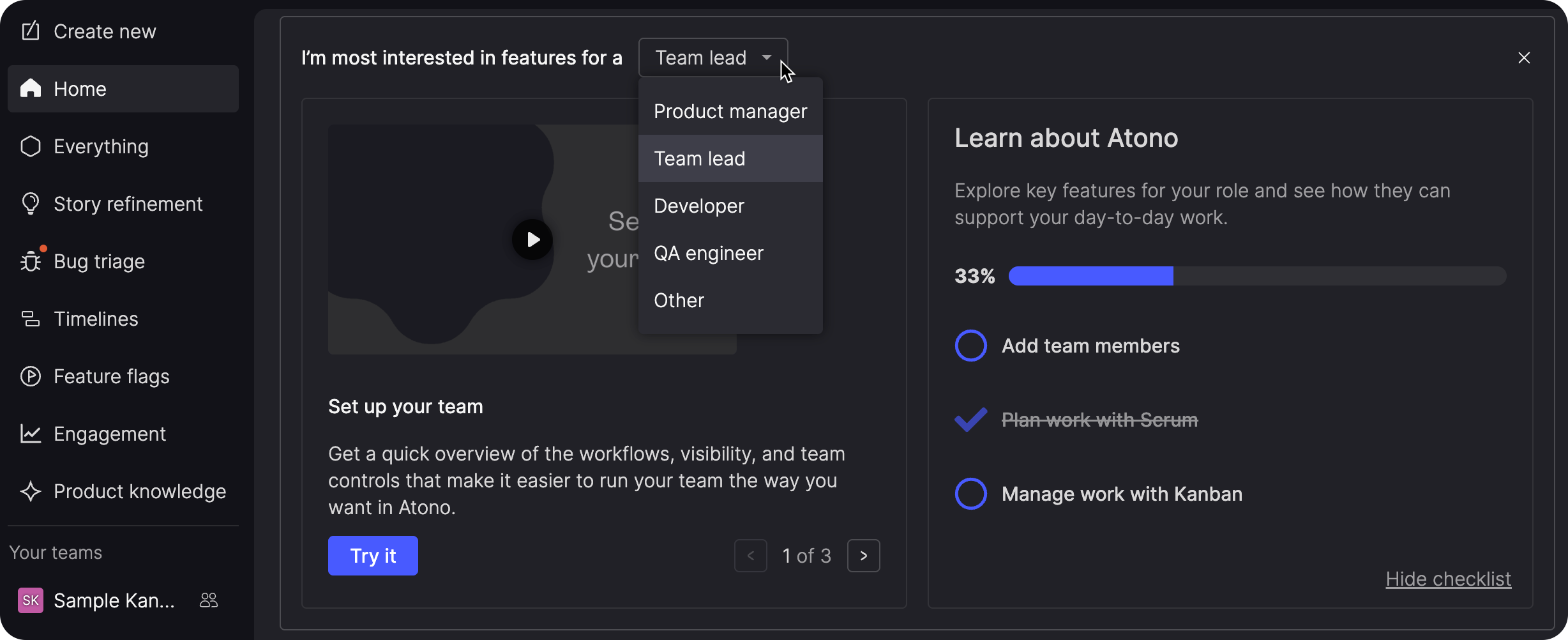
The Home page in a new workspace includes an onboarding checklist tailored to the role you're most interested in.
The checklist guides you through relevant parts of Atono and launches interactive tours that walk through key workflows in the product. Depending on your role, these tours can cover areas such as writing and working with stories, reporting bugs, managing work in progress, planning with Scrum or Kanban, working with timelines, and using feature flags.
Change your selected role to explore a different set of recommended workflows.
Explore with sample data
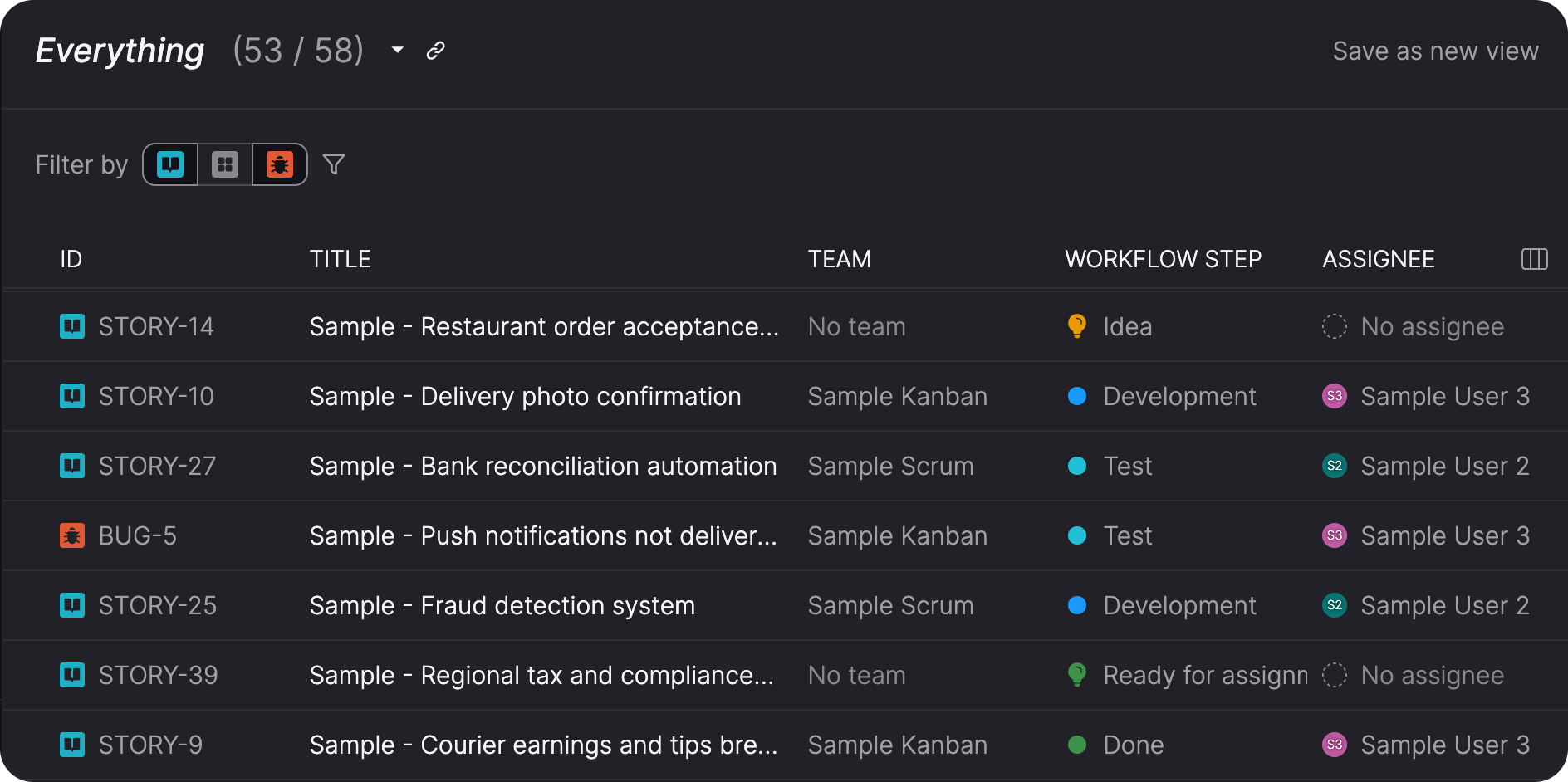
New workspaces include sample data that gives the tours realistic stories, bugs, teams, epics, timelines, releases, feature flags, and other product information to work with.
The sample content is designed so you can explore the product without disrupting the examples used by the tours. When you no longer want the onboarding experience, you can hide the sample data and bring the onboarding tools back later.
Together, the checklist, tours, and sample data give new users a place to learn by doing rather than starting with an empty workspace.
Find help in one place
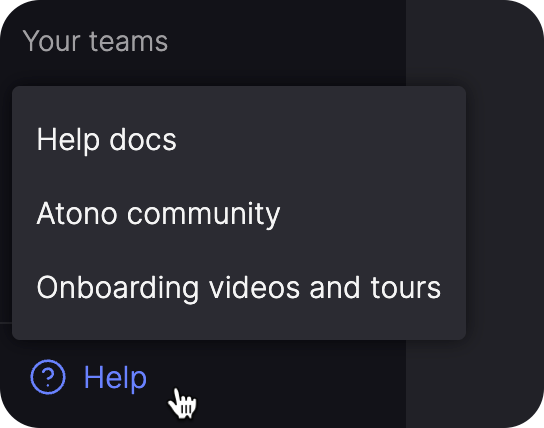
The Help menu brings together Atono documentation, the Atono Community Slack workspace, and controls for restarting onboarding.
This gives you one place to find additional guidance and return to onboarding whenever you need it.
Coming soon: Review stories with AI
We're working on a new Story review capability to help teams get stories ready for handoff.
Run a review to identify potential gaps and areas for improvement across the user story, acceptance criteria, terminology, and overall story quality. Findings are grouped by severity so you can focus on the issues that matter most before the story moves on to the next stage of work.
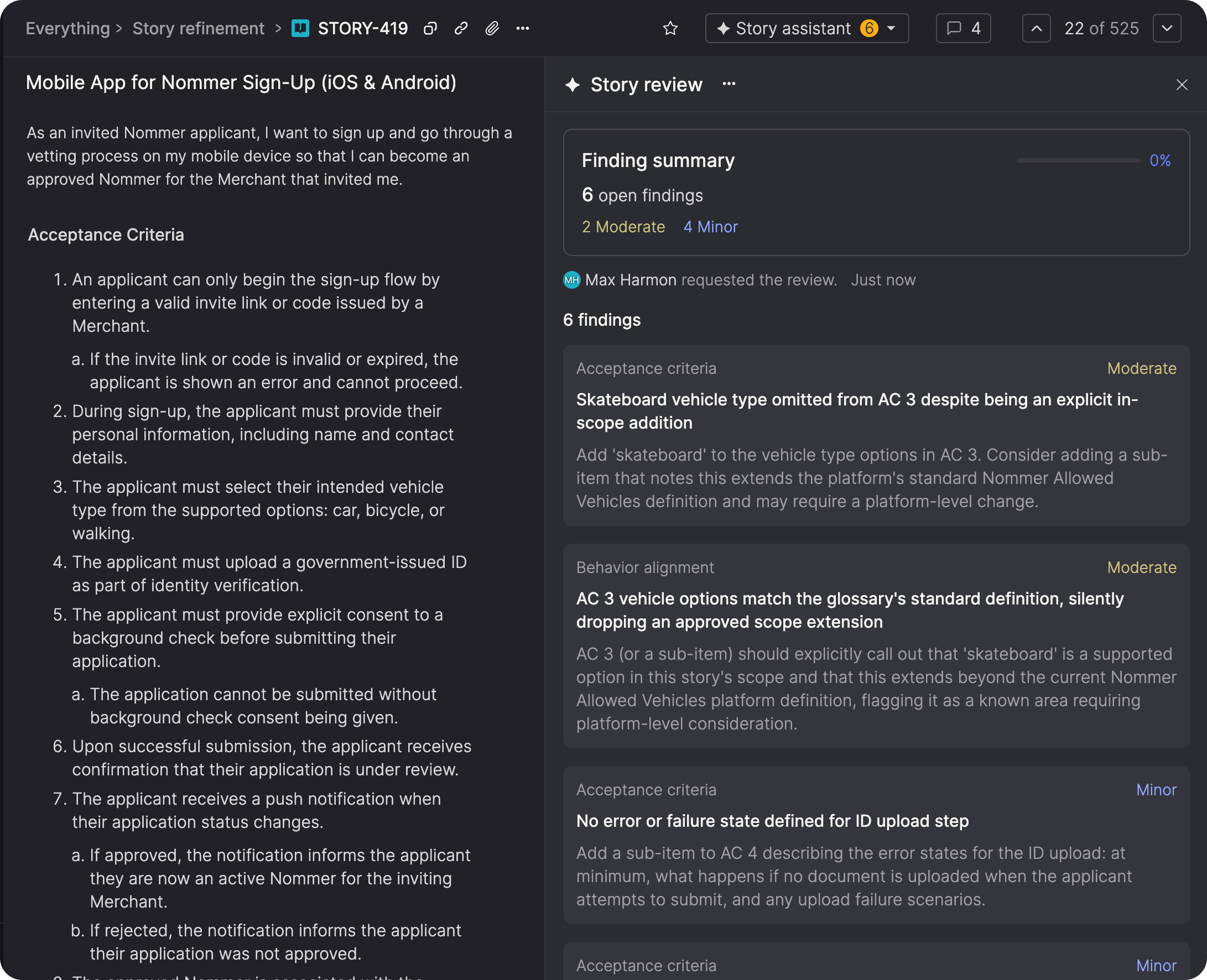
We're also building ways to work directly with those findings, including asking AI to generate changes that address them and dismissing findings that don't apply.